Products

Every module, shown on real screens.

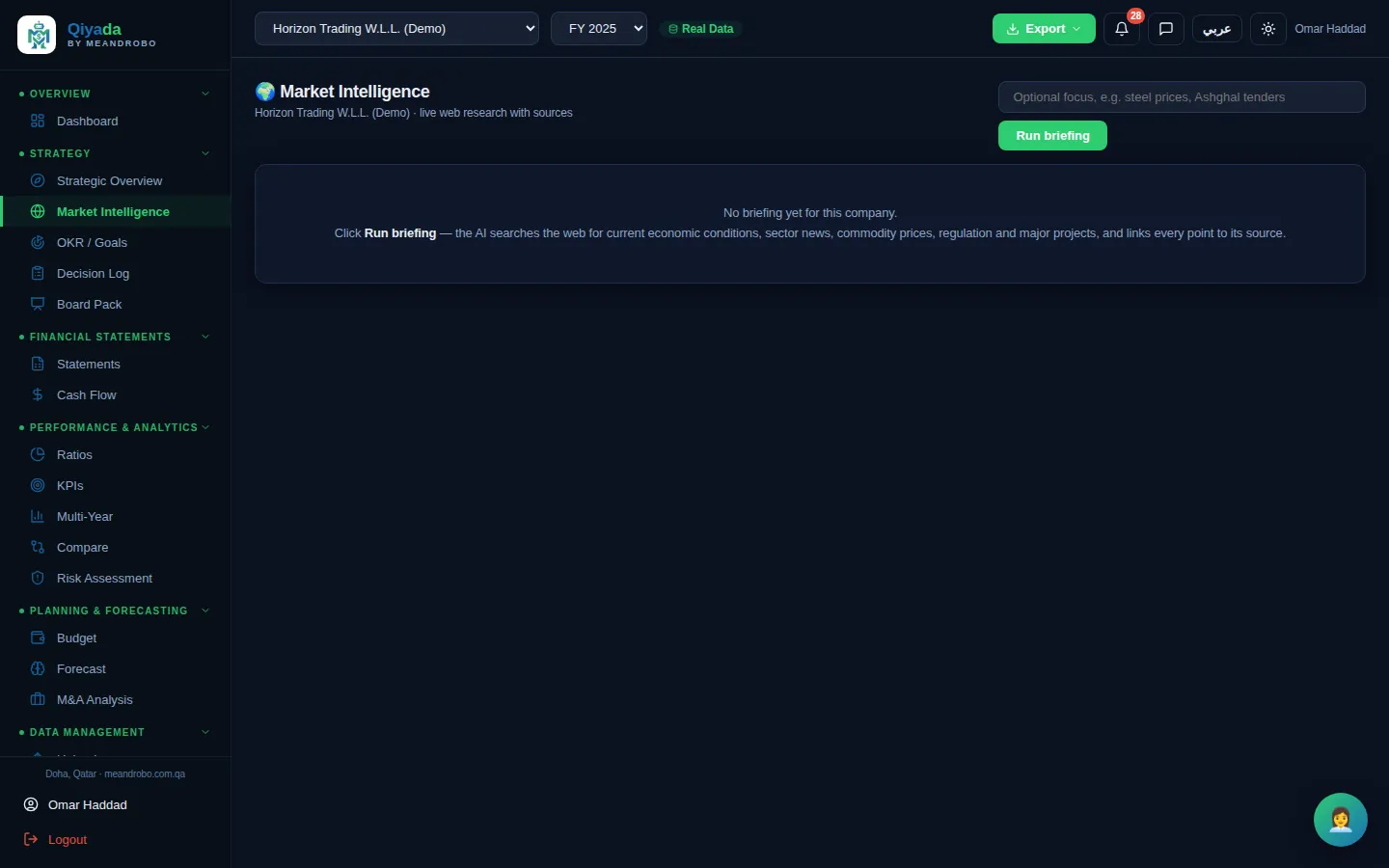
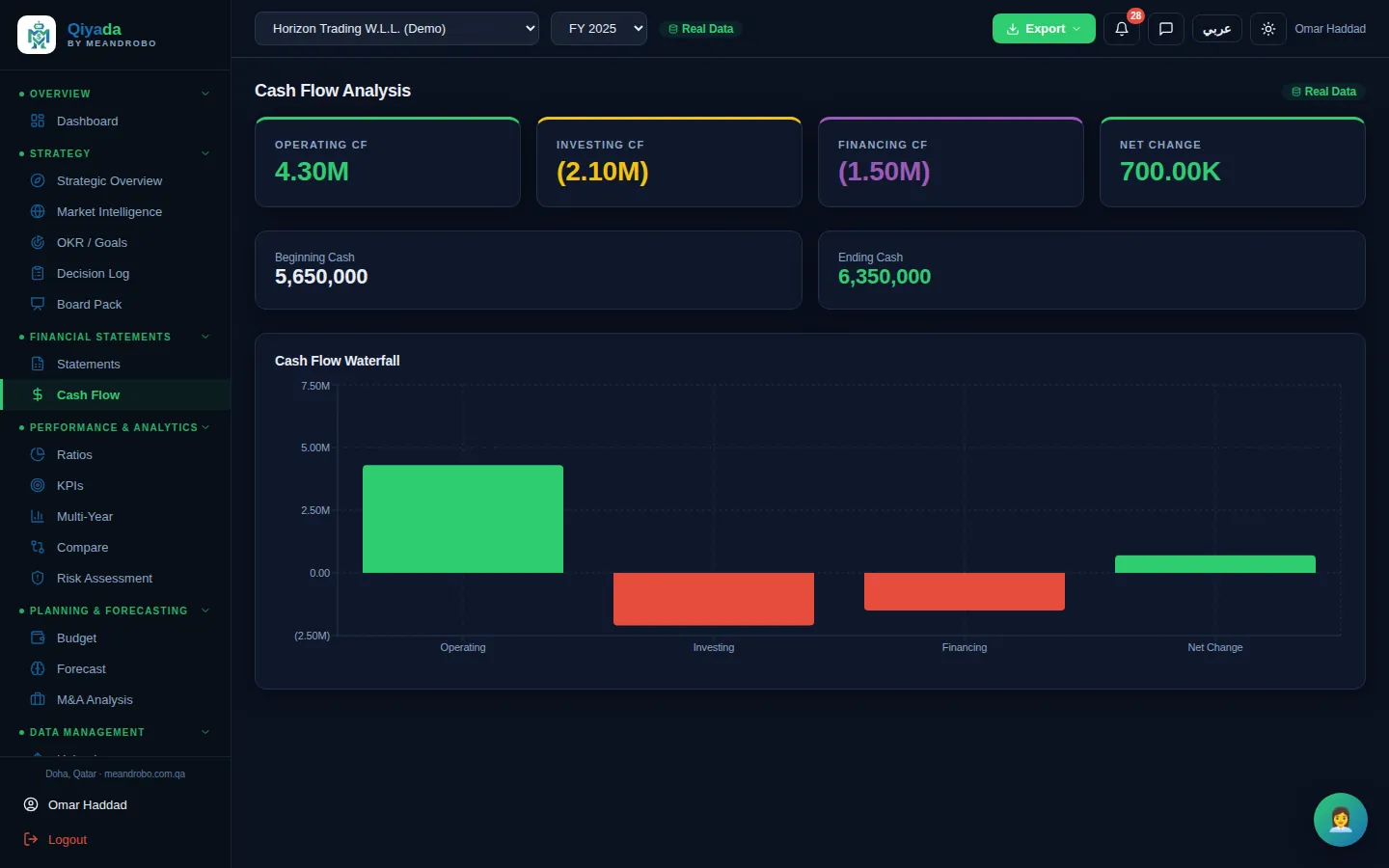
Qiyada is one workspace with ten groups of tools. For each one: the problem it solves, what it does, what you get, and how it works — with a screenshot from the app.

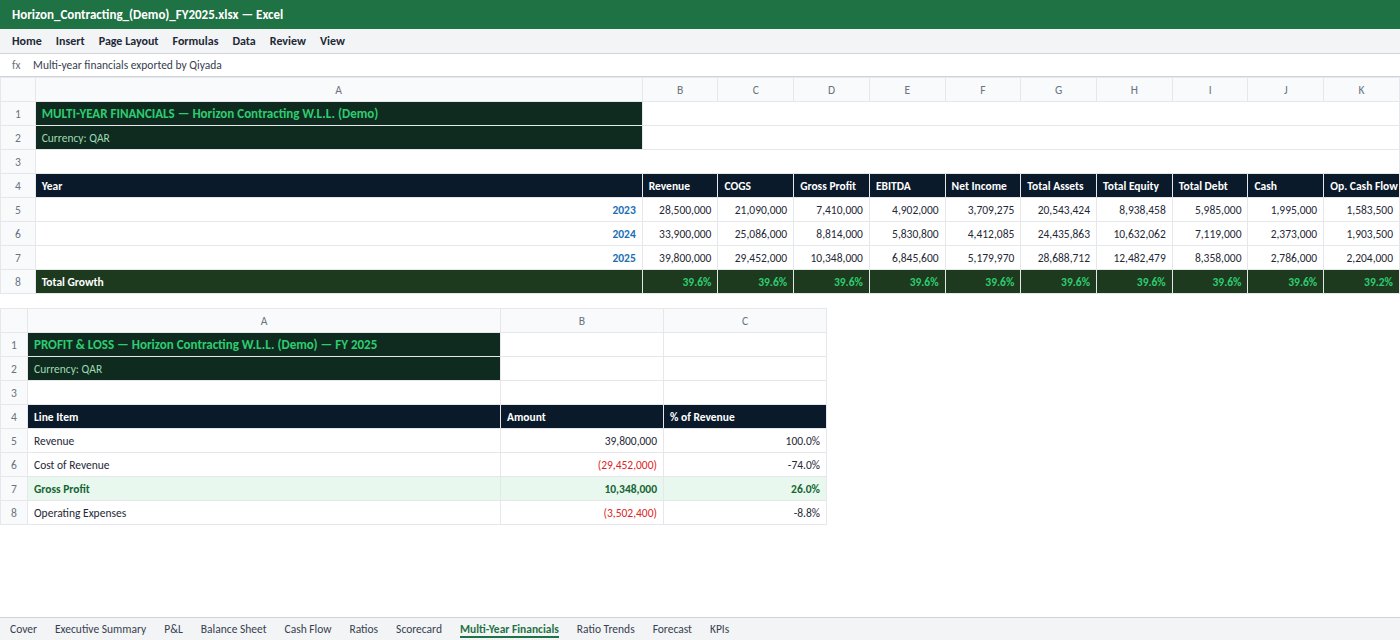
All screenshots are from Qiyada itself, using Horizon Group (Demo) — a fictional company. Every name, figure, contract and contact on these screens is invented.

EXECUTIVE OVERVIEW

The whole company on one screen

The problem

You open five files to answer one question: how are we doing? By the time the numbers are collected, the moment to act has passed.

What Qiyada does

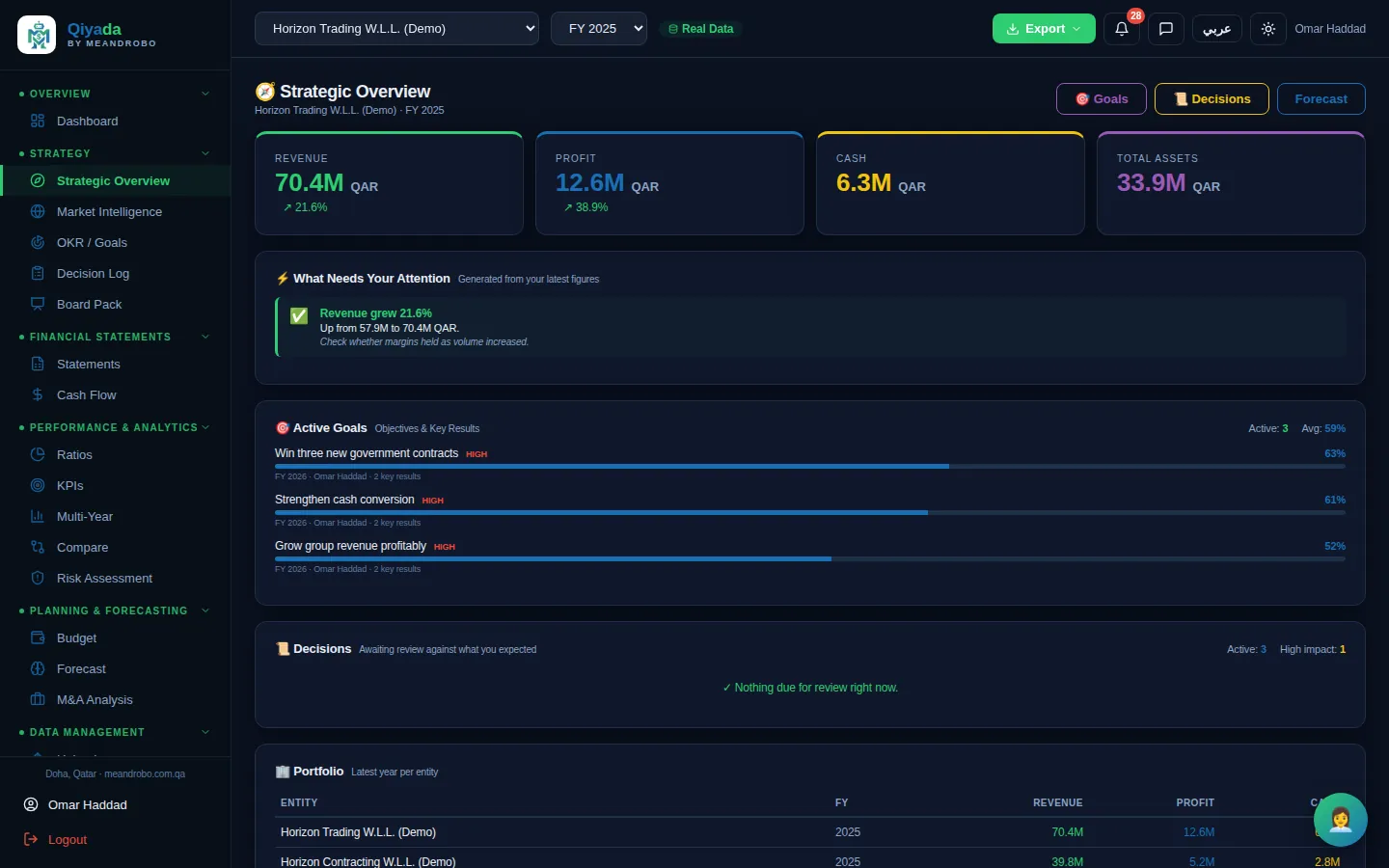
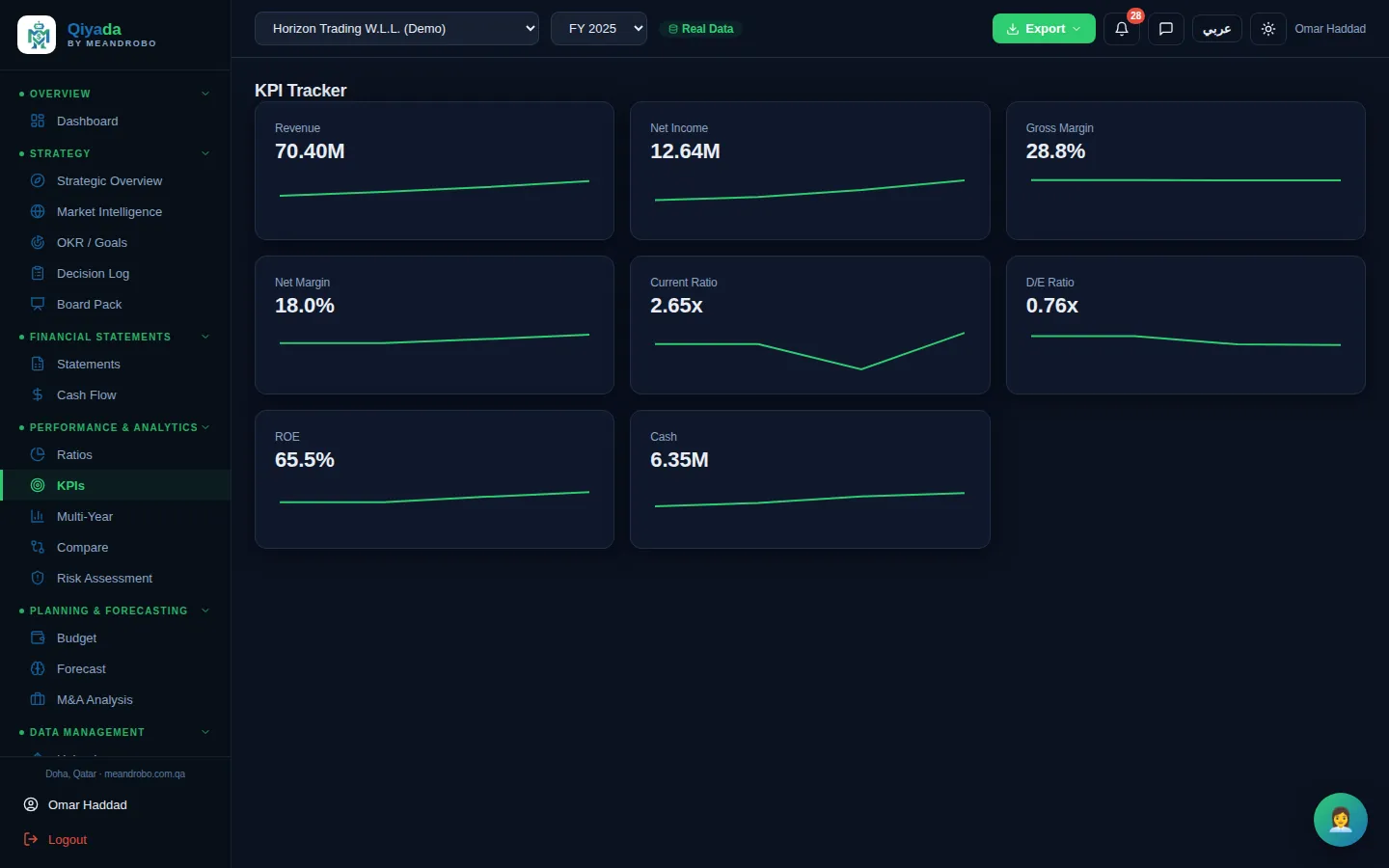
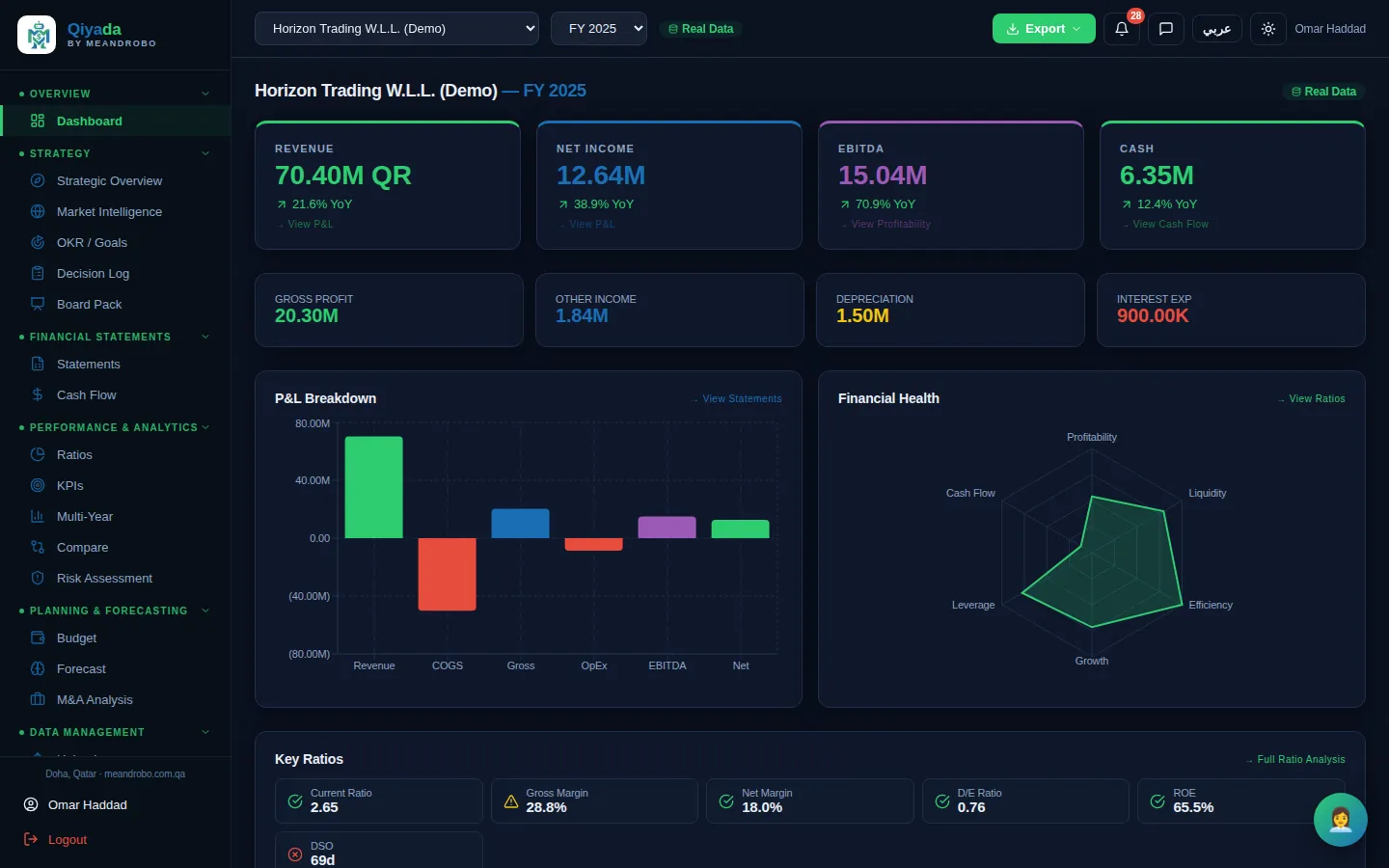
The dashboard and the strategic overview read the uploaded statements and show revenue, profit, EBITDA, cash and the key ratios — with what moved and what needs your attention.

What you get

A two-minute answer to "how are we doing?", for one company or the whole group, every time you sign in.

How it works

  1. Upload the statements once (Excel or PDF).
  2. Pick the company, group and year at the top of the screen.
  3. Click any number to see the detail behind it, or export it.
Modules in this group
Dashboard
Dashboard — Revenue, net income, EBITDA and cash with year-on-year change, a P&L breakdown, a six-point financial-health radar and t

Click the screen to enlarge it

Dashboard All plans

Revenue, net income, EBITDA and cash with year-on-year change, a P&L breakdown, a six-point financial-health radar and the key ratios flagged green, amber or red.

  • Built-in checks warn when the balance sheet or cash flow does not add up
  • Every card links to the statement behind it
  • Switch company, group or year in one click
STRATEGY & GOVERNANCE

Goals, decisions and the board — connected to the numbers

The problem

Goals live in a slide, decisions in meeting minutes, and the board pack is assembled the night before. Nobody checks whether last year's decisions worked.

What Qiyada does

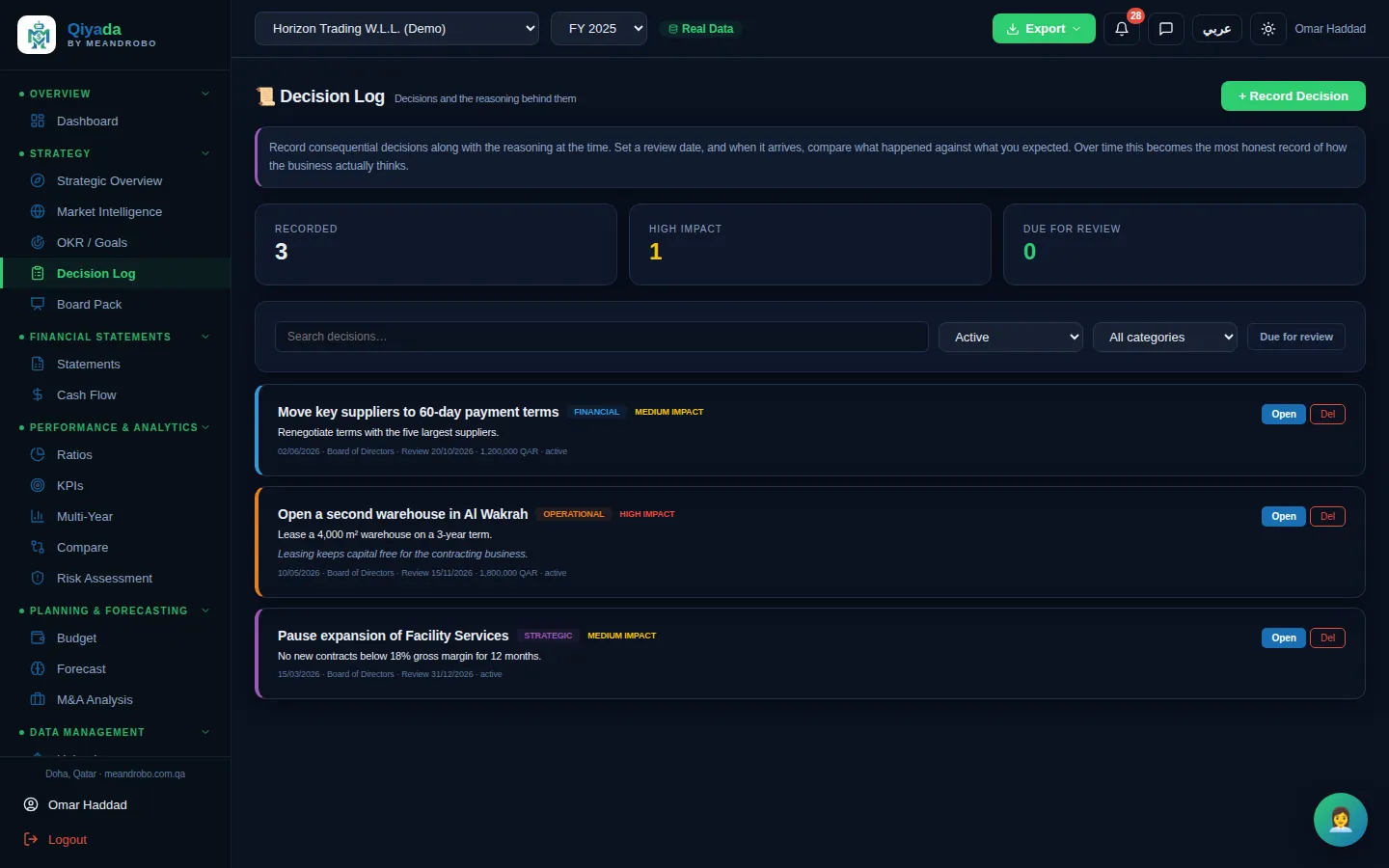
Set goals with measurable key results, record each decision with its reasoning and a review date, follow the market with sourced briefings, and build the board pack from all of it.

What you get

A board pack that pulls live figures, goal progress and decisions — and a written record of what you decided, why, and whether it worked.

How it works

  1. Add objectives and key results; update progress as the quarter moves.
  2. Record decisions with the expected outcome; Qiyada reminds you on the review date.
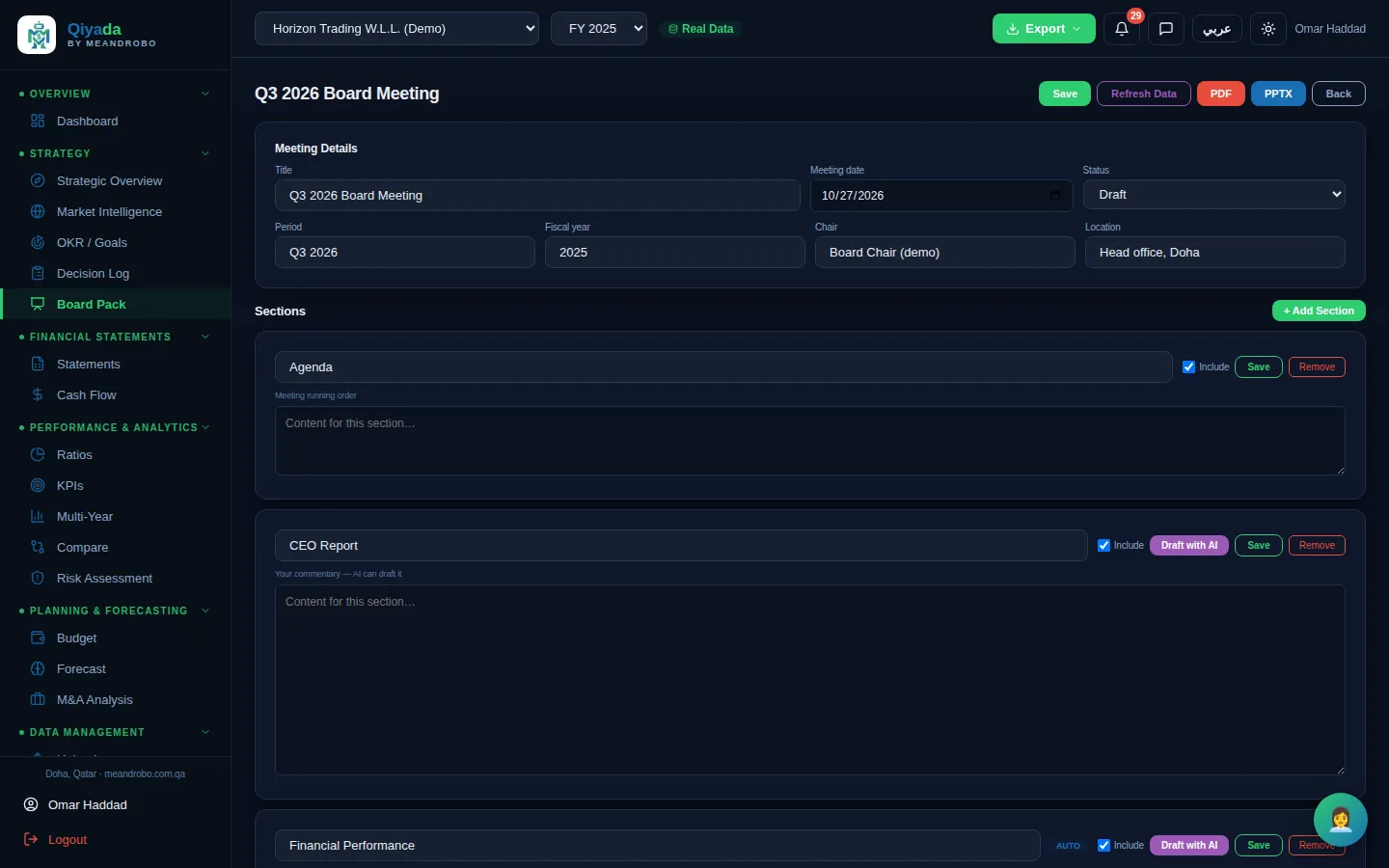
  3. Create the board pack, choose its sections, let the AI draft the CEO report, then edit and export.
Modules in this group
OKR / Goals
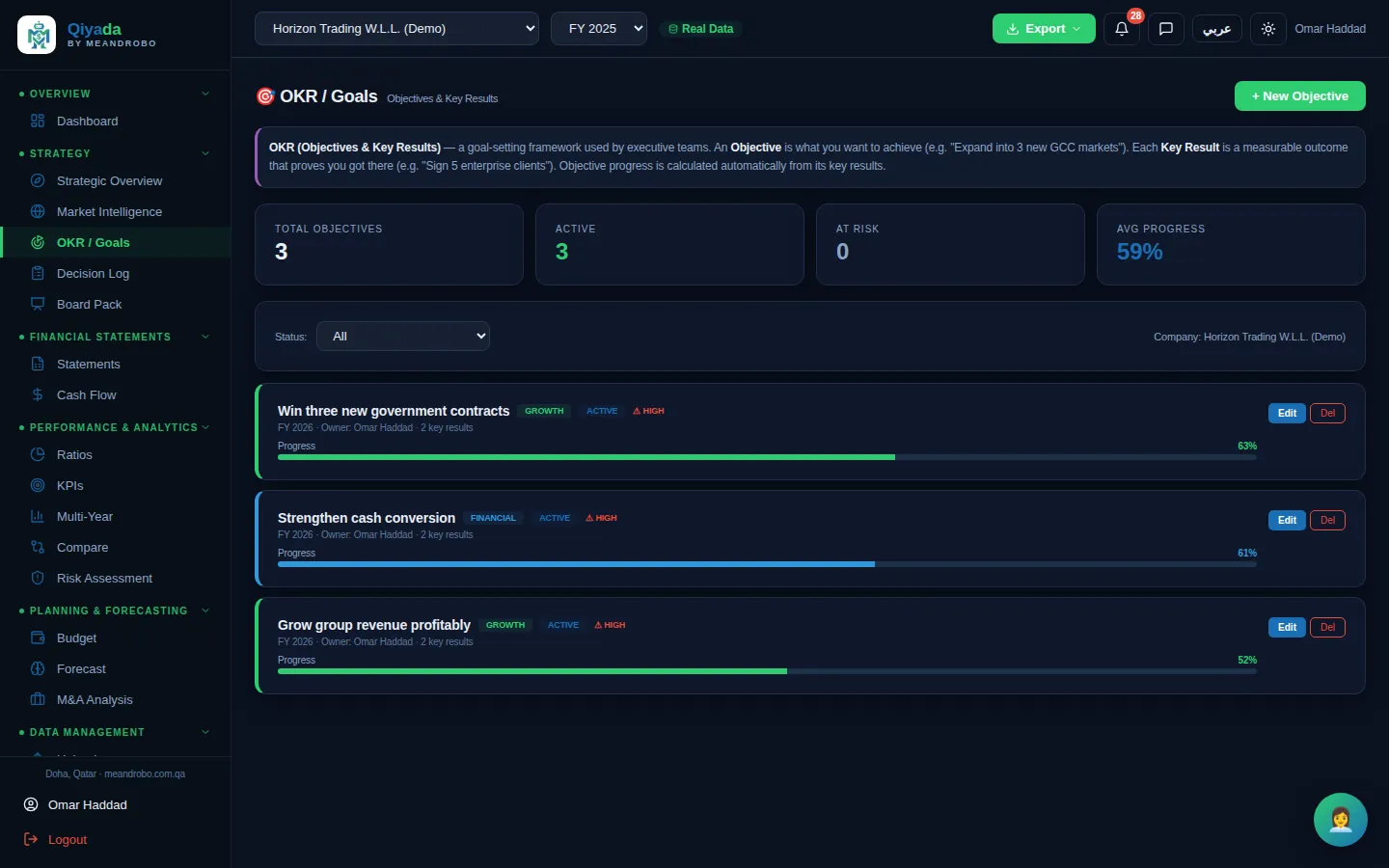
OKR / Goals — Objectives with measurable key results, owners, priorities and status. Progress is calculated from the key results.

Click the screen to enlarge it

OKR / Goals Professional & Executive

Objectives with measurable key results, owners, priorities and status. Progress is calculated from the key results.

  • Number or percentage targets with start, current and target values
  • At-risk goals surface on the strategic overview
  • Feeds the "progress against goals" section of the board pack
FINANCIAL STATEMENTS

Clean statements, checked and comparable

The problem

Statements arrive in different layouts from different accountants, and nobody is sure the balance sheet ties to the cash flow.

What Qiyada does

Every company's income statement, balance sheet and cash flow is held in one consistent layout, checked, and comparable across years.

What you get

Statements you can trust and compare at a glance — the base for every report, ratio and forecast in the app.

How it works

  1. Upload the statements; the figures are extracted into a standard layout.
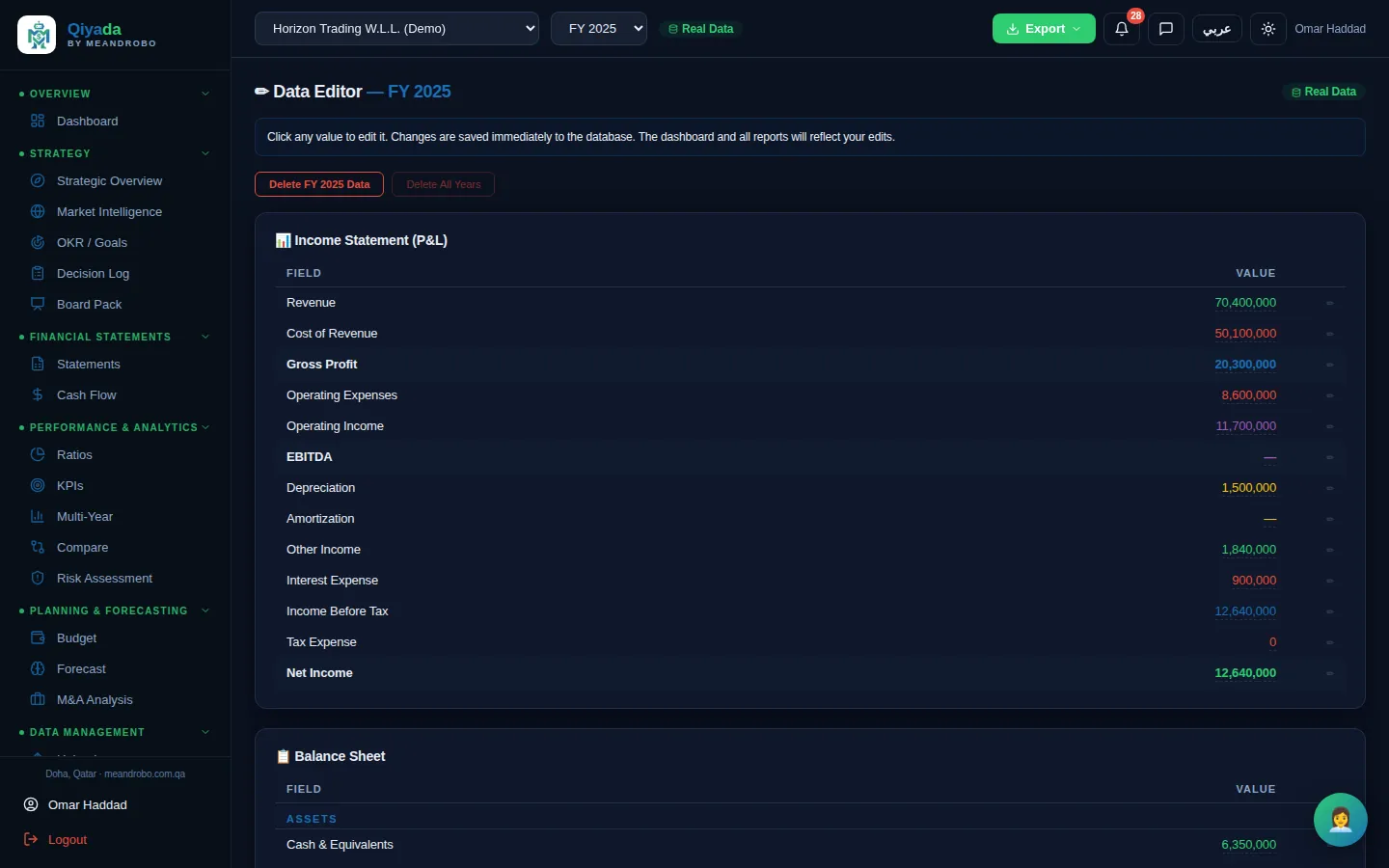
  2. Check them against the source; correct any line in the data editor.
  3. Open any year, or export the statements to PDF, Excel or PowerPoint.
Modules in this group
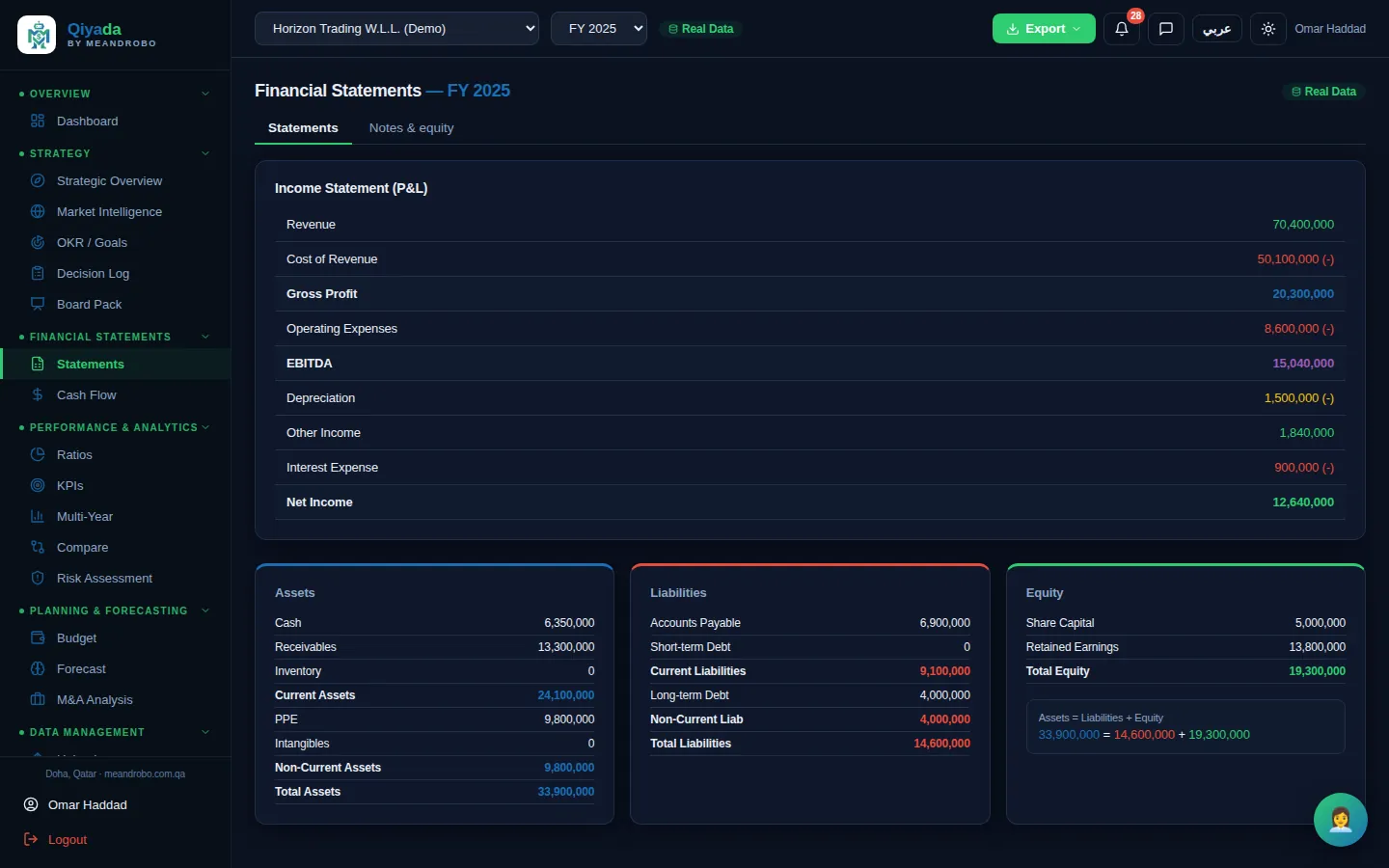
Statements
Statements — Income statement, assets, liabilities and equity for the selected year, with the balance check shown underneath.

Click the screen to enlarge it

Statements All plans

Income statement, assets, liabilities and equity for the selected year, with the balance check shown underneath.

  • Same layout for every company and year
  • Assets = liabilities + equity shown on screen
  • Exports with your logo
PERFORMANCE & ANALYTICS

Ratios, trends, competitors and risk — worked out for you

The problem

Ratio analysis, trend charts and a risk review take an analyst days. In most companies they are done once a year, if at all.

What Qiyada does

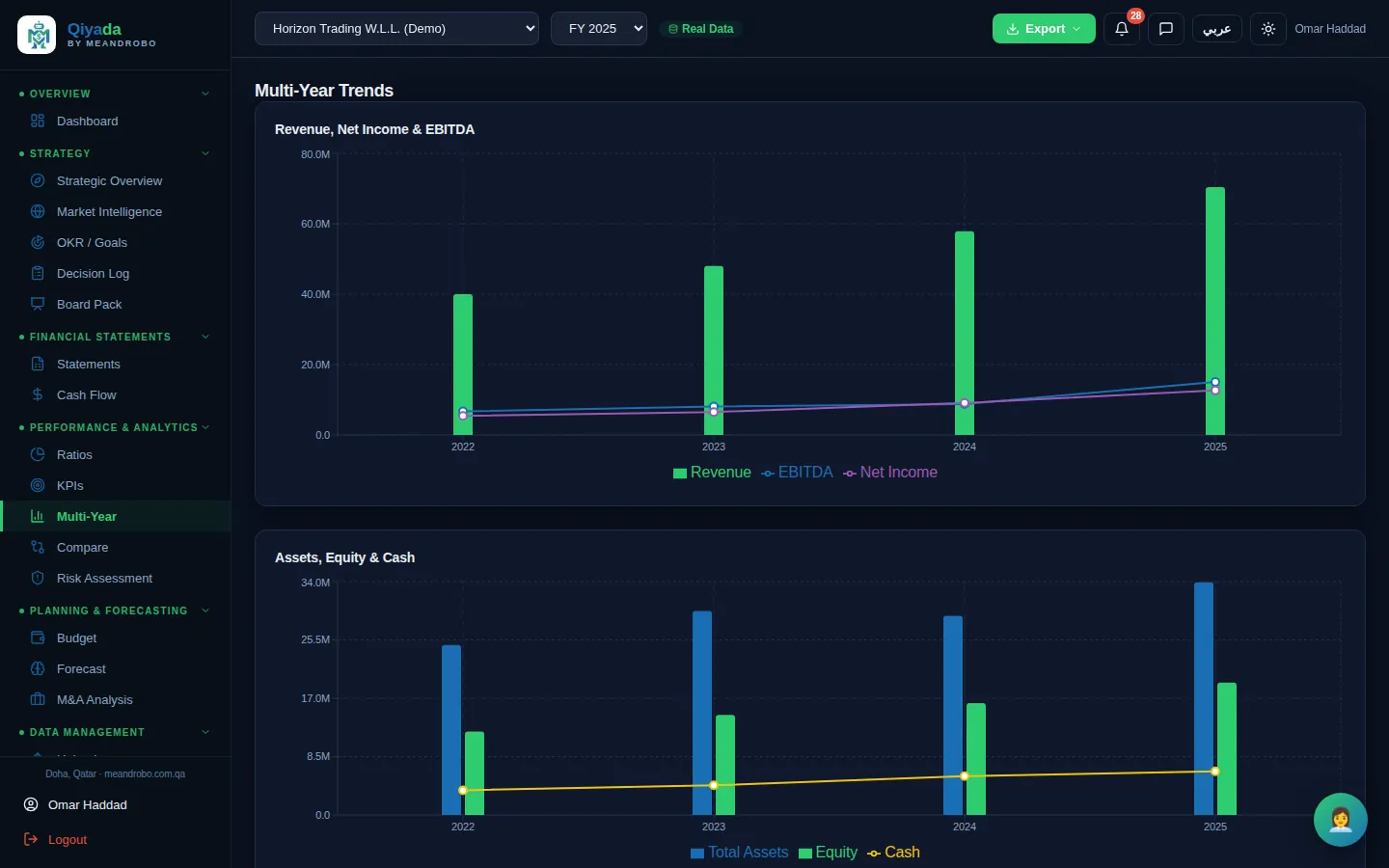
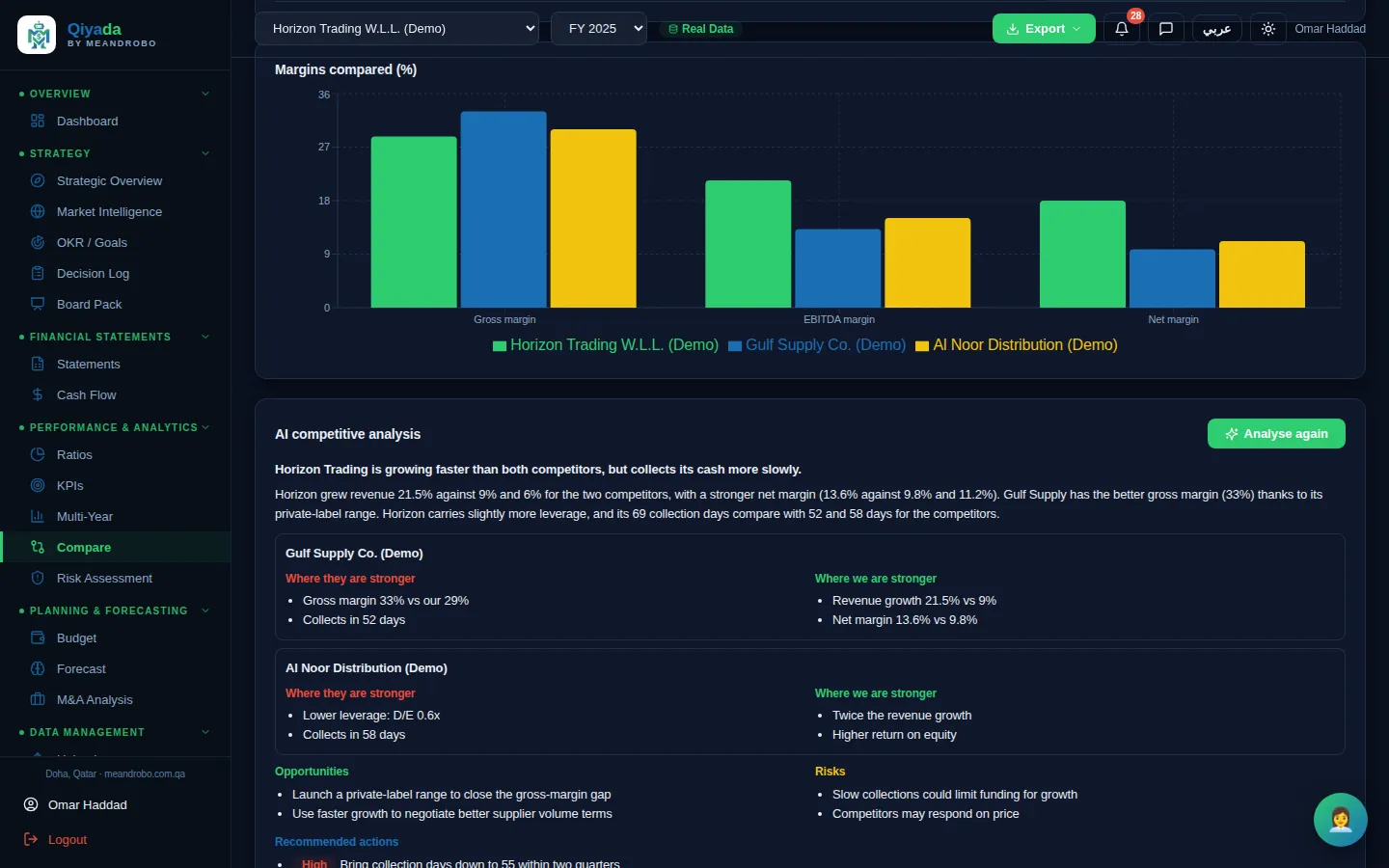
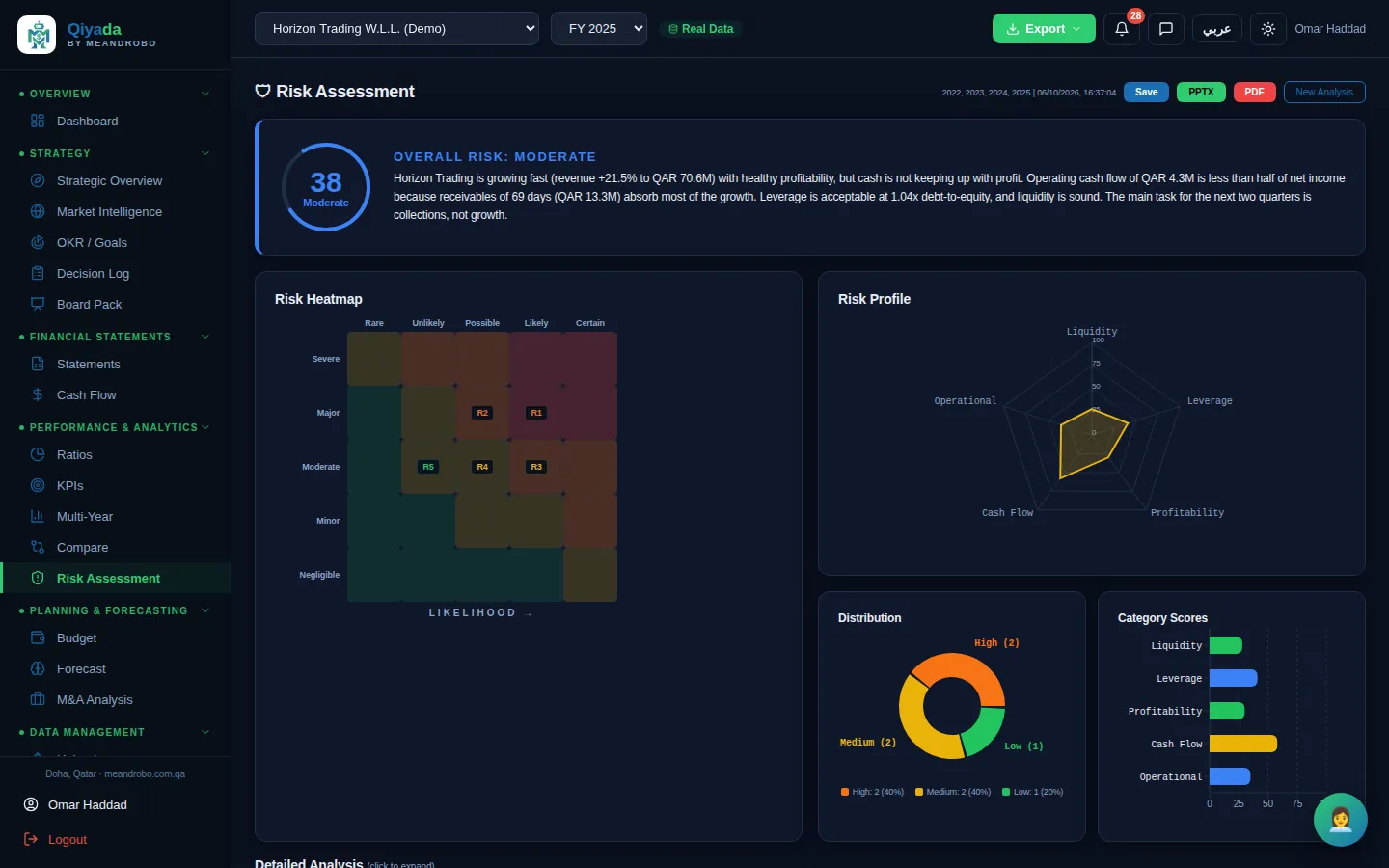
Qiyada calculates the ratios against benchmarks, draws the trends, compares you with competitors from their published statements, and writes a scored risk assessment.

What you get

You see what is healthy, what is slipping and what to do about it — with the numbers behind every statement.

How it works

  1. Upload at least one year (two or more for trends).
  2. Open Ratios, KPIs or Multi-Year — they are calculated straight away.
  3. For competitors and risk, upload the competitor's statements or press Run; the AI writes the analysis in seconds.
Modules in this group
Ratios
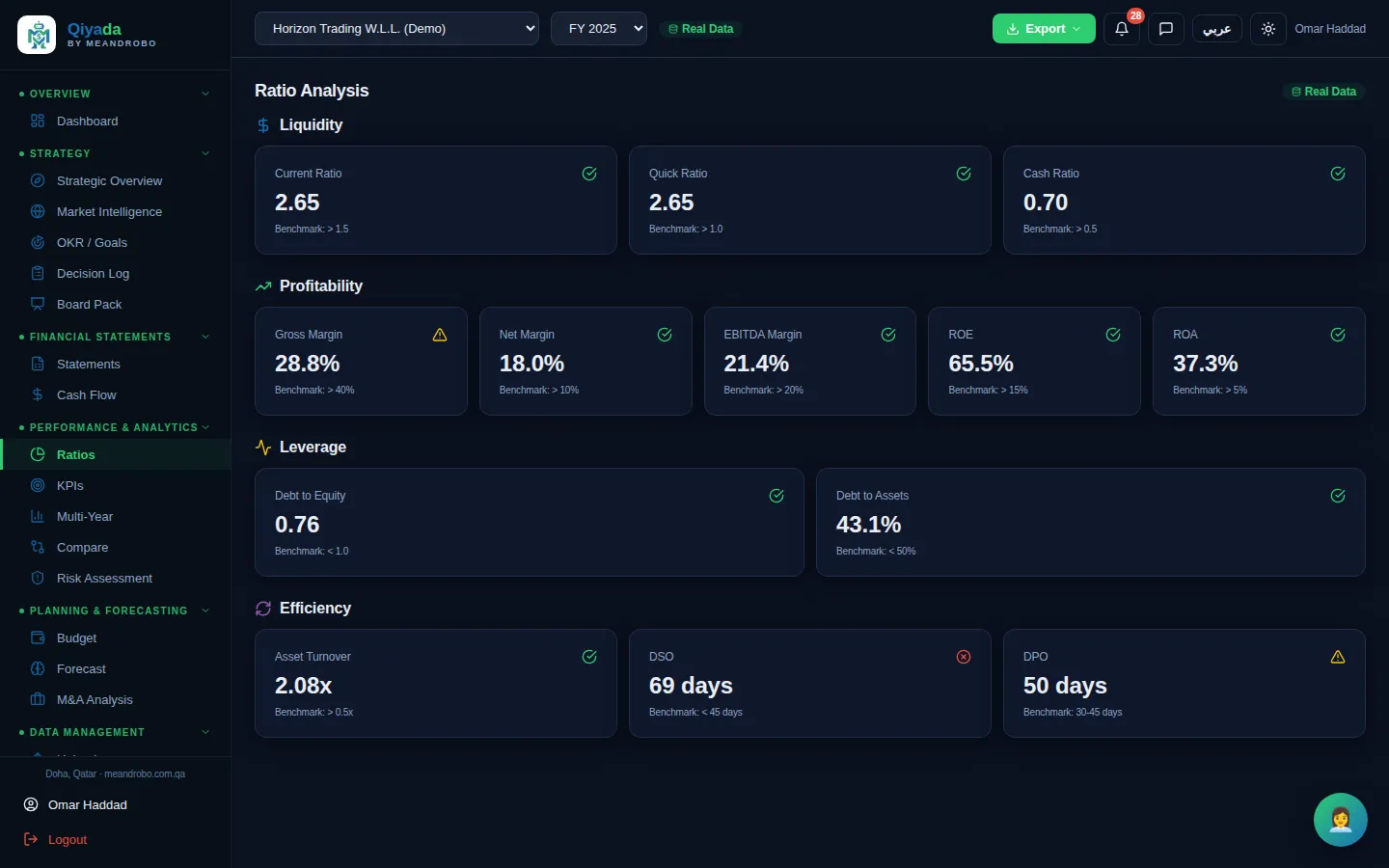
Ratios — Thirteen ratios in four groups — liquidity, profitability, leverage and efficiency — each against a benchmark with a tra

Click the screen to enlarge it

Ratios All plans

Thirteen ratios in four groups — liquidity, profitability, leverage and efficiency — each against a benchmark with a traffic-light rating.

  • Current, quick and cash ratios; margins, ROE and ROA
  • Debt-to-equity and debt-to-assets
  • Asset turnover, collection days (DSO) and payment days (DPO)
PLANNING, MODELLING & M&A

Forecasts, valuations and deals — without building the spreadsheet

The problem

A forecast or a valuation means a new spreadsheet every time, built by the one person who knows how, and nobody else can check the assumptions.

What Qiyada does

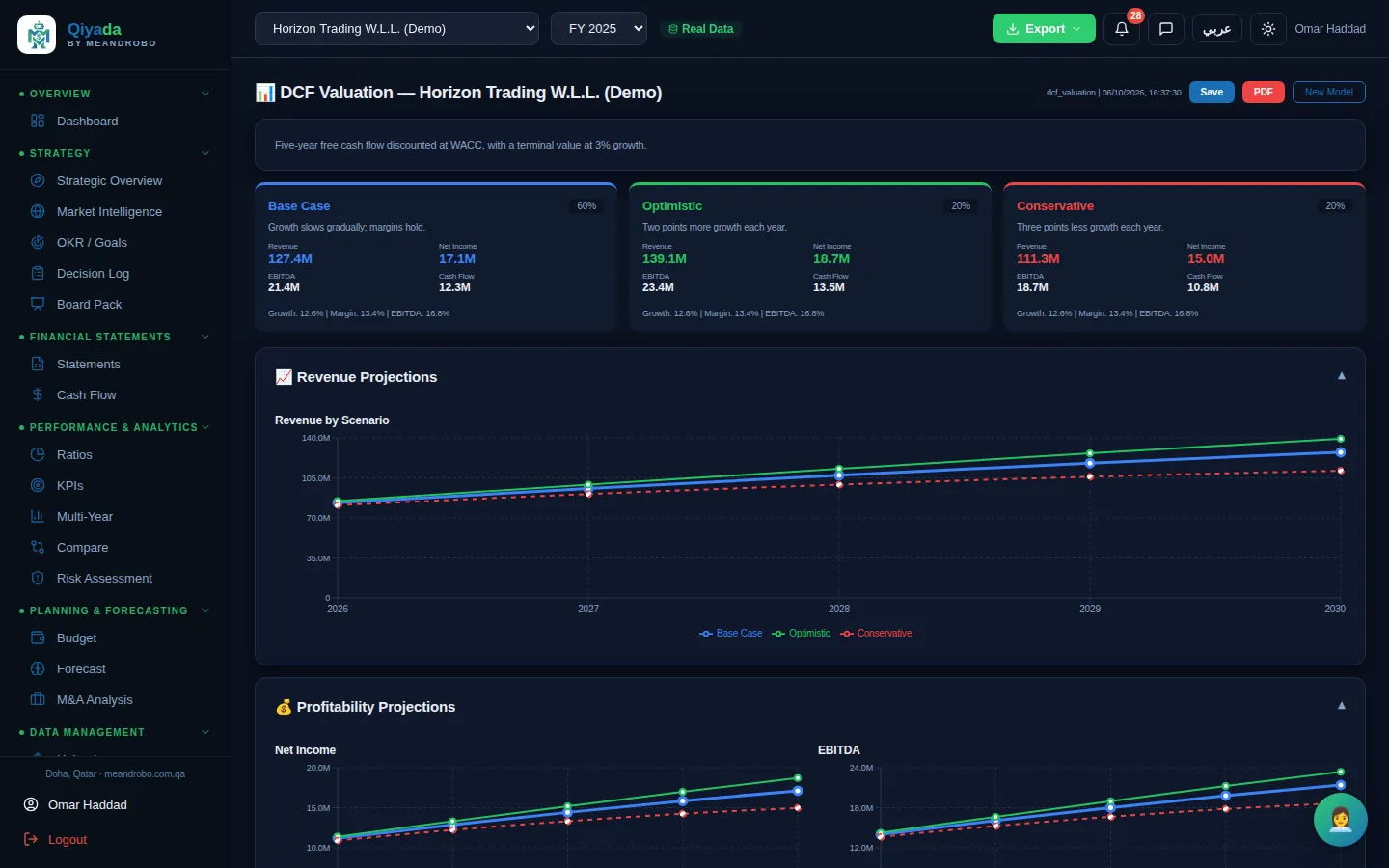
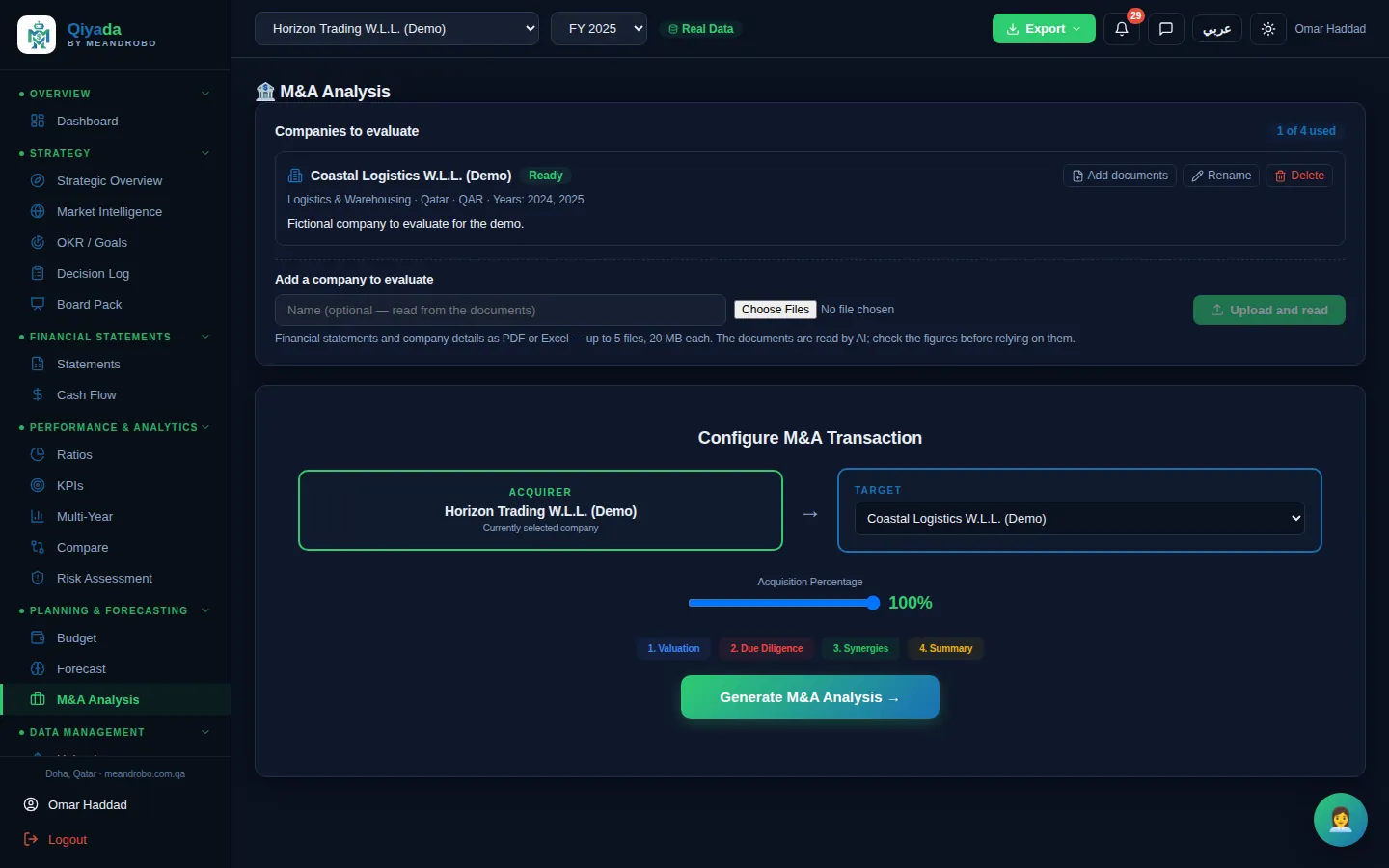
Project revenue from your own history, build financial models with stated assumptions and scenarios, and evaluate a company you may buy from its documents.

What you get

A forecast, a DCF or an M&A view you can read, question and export — with every assumption written down.

How it works

  1. Choose the model type or the company to evaluate.
  2. Add your own assumptions in plain language, if you have any.
  3. Review the scenarios, sensitivity and recommendations; save and export.
Modules in this group
Forecast
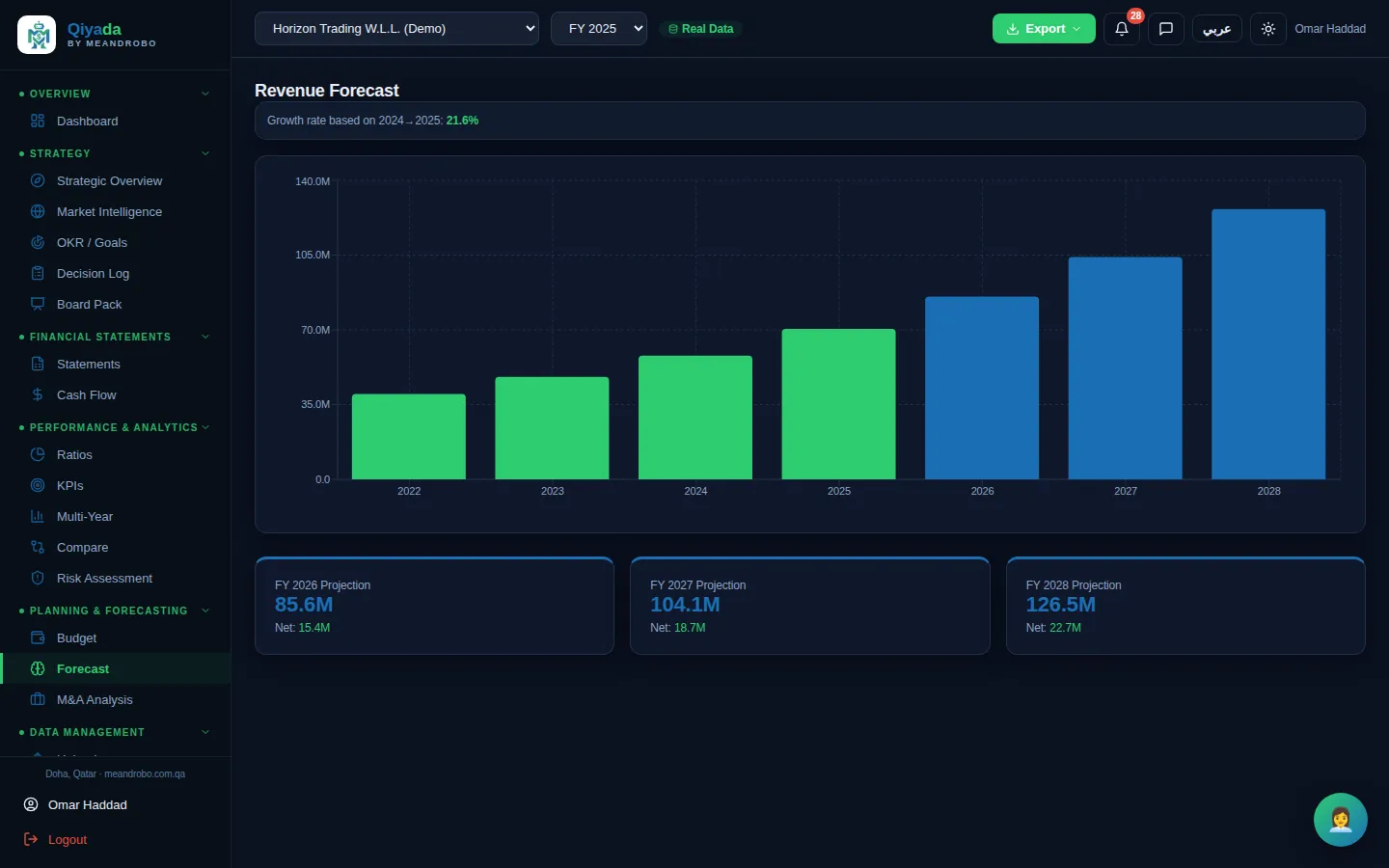
Forecast — A three-year projection of revenue and net income, based on your most recent growth rate.

Click the screen to enlarge it

Forecast Professional & Executive

A three-year projection of revenue and net income, based on your most recent growth rate.

  • Needs two or more years of statements
  • Simple and transparent: the growth rate is shown
  • Included in the board report
DATA IN, CHECKED

Upload what you have. Qiyada checks it.

The problem

Re-typing statements into a new system is slow and introduces errors — and one wrong figure undermines every report built on it.

What Qiyada does

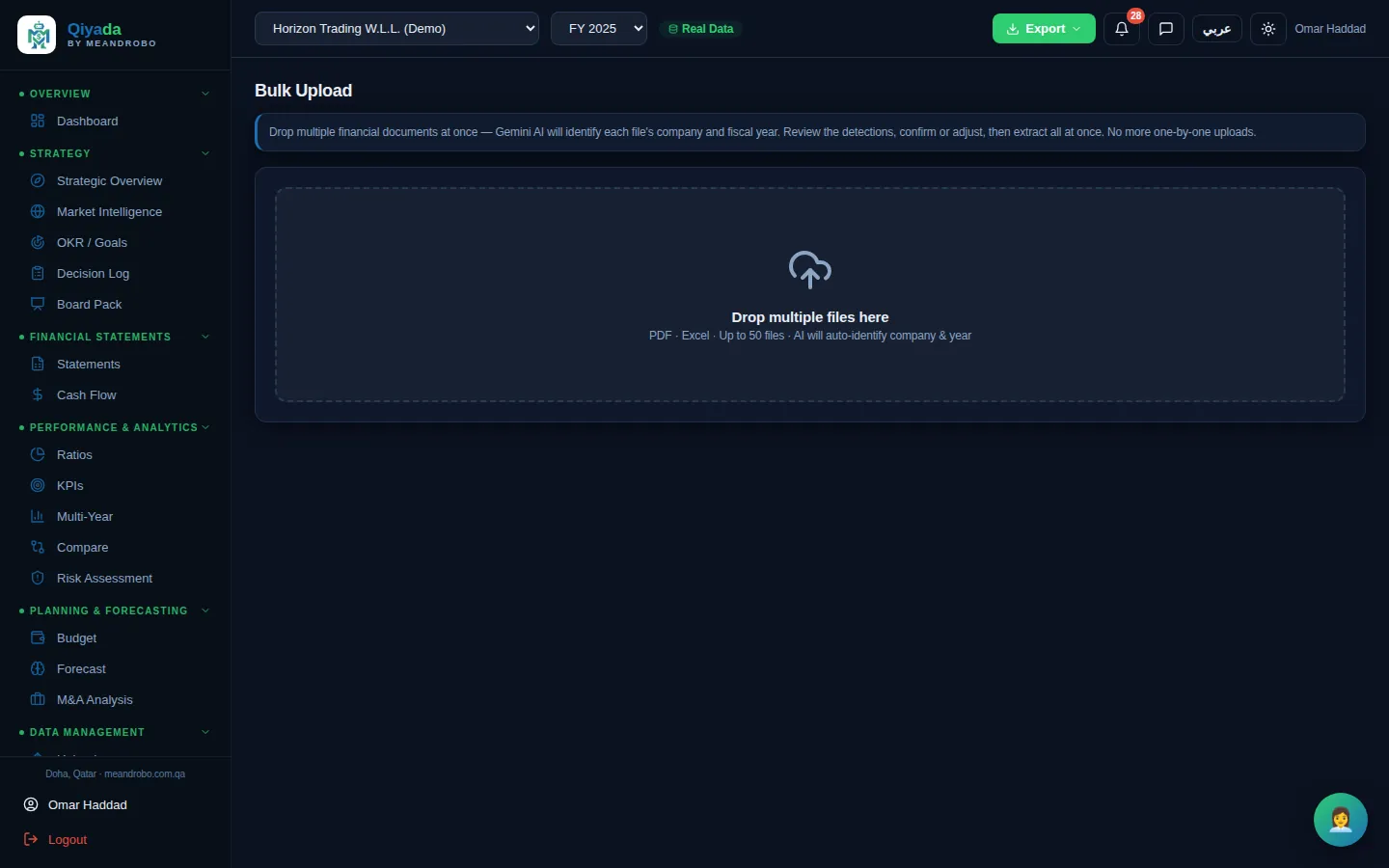
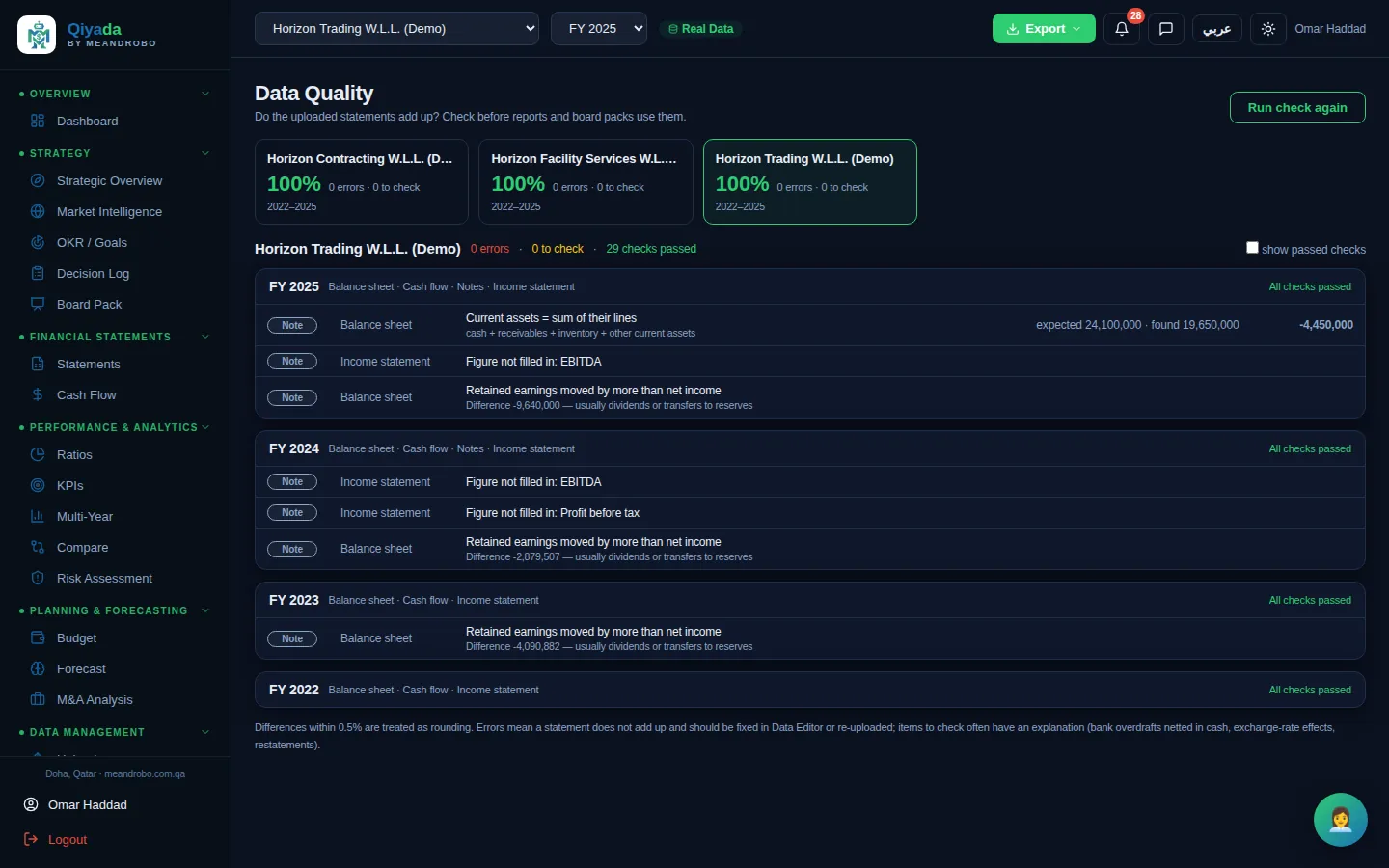
Upload PDFs or Excel files, one at a time or fifty at once. The AI extracts the figures, the data-quality checks test that they add up, and you can correct any line.

What you get

Clean numbers in minutes instead of days, with a clear list of anything that needs a second look.

How it works

  1. Drop the files in; with bulk upload the AI recognises each company and year.
  2. Confirm the detections; the figures are extracted.
  3. Run the data-quality check and fix anything flagged in the data editor.
Modules in this group
Upload
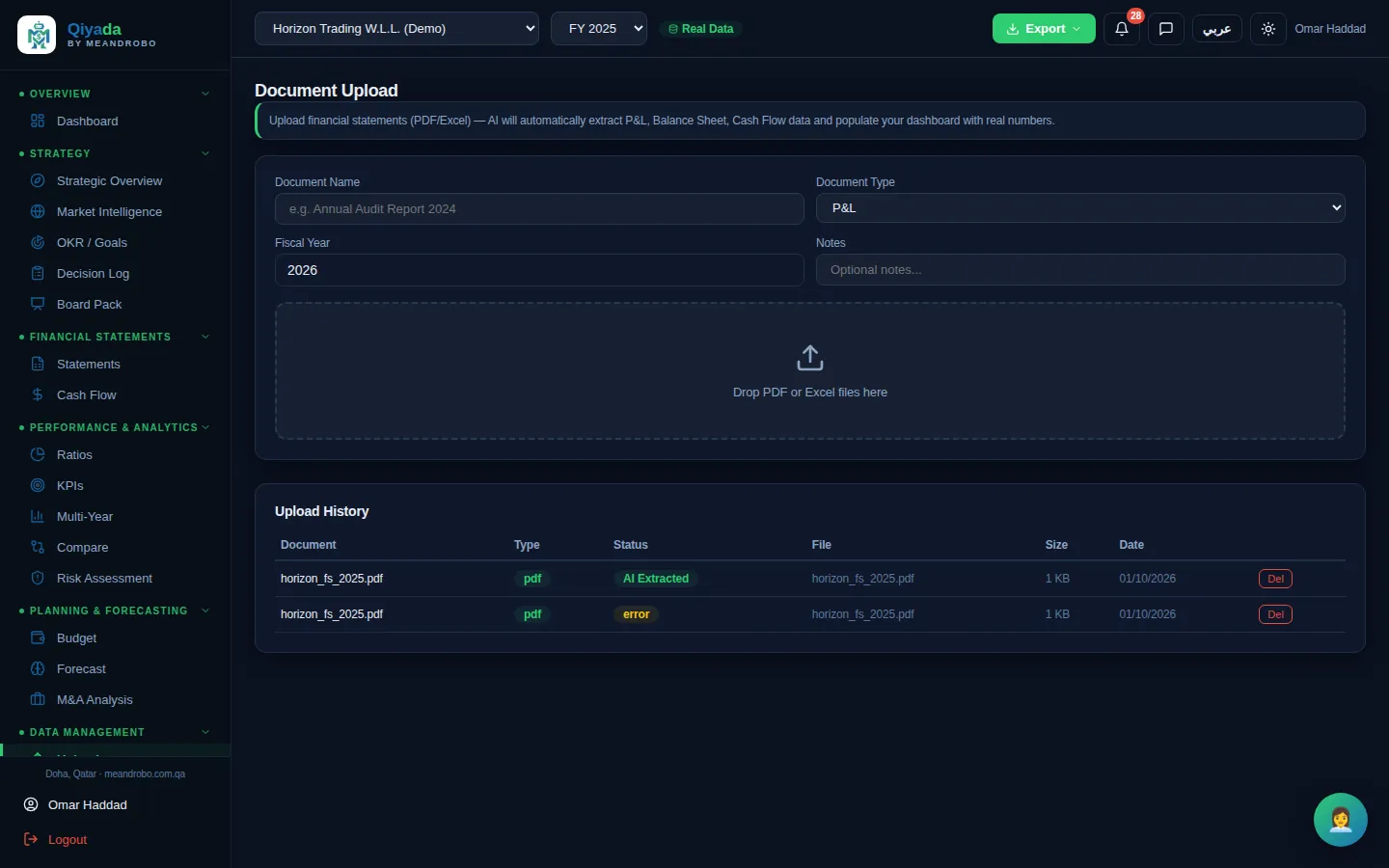
Upload — Upload income statements, balance sheets, cash flows, trial balances, audit reports and more as PDF or Excel. The AI ext

Click the screen to enlarge it

Upload All plansUses AI

Upload income statements, balance sheets, cash flows, trial balances, audit reports and more as PDF or Excel. The AI extracts the figures into the company's records.

  • Up to 20 files per upload
  • Duplicate files are detected
  • Upload history with delete
CONTRACTS

Read every contract before you sign it. Draft the next one in minutes.

The problem

Contracts are signed after a quick read because a full legal review takes days and costs money. The penalty clause is found later.

What Qiyada does

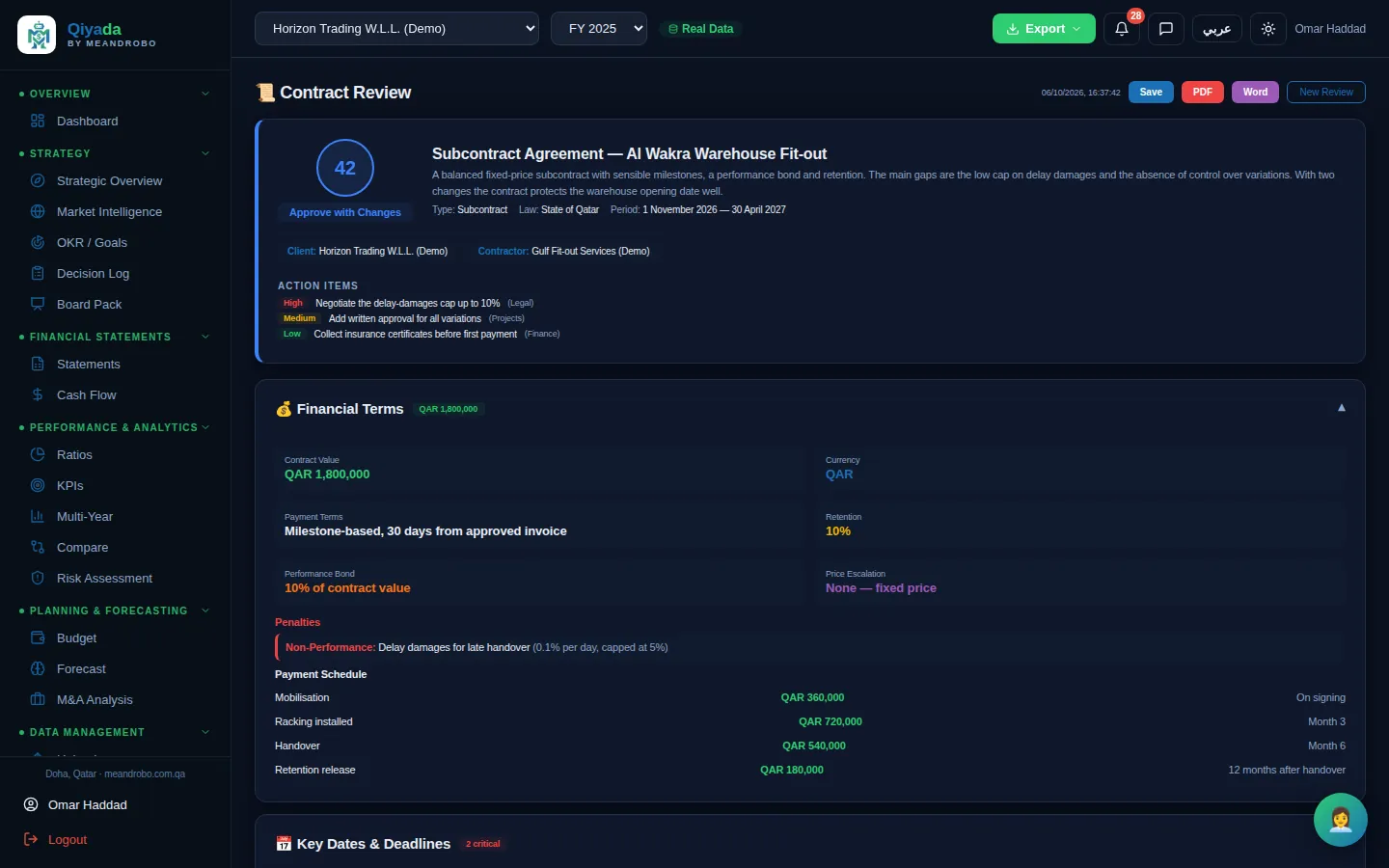
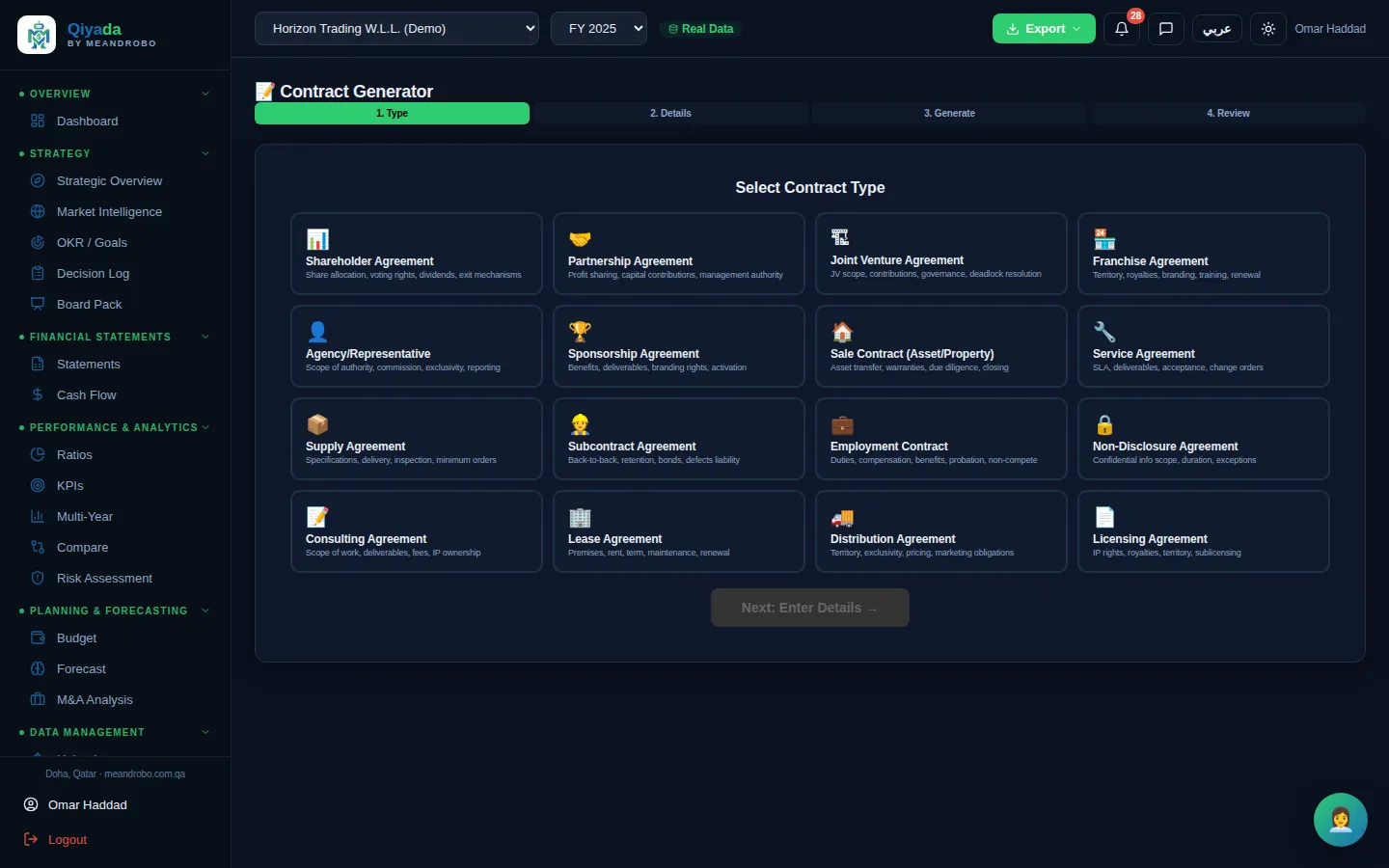
Upload a contract and the AI extracts the terms, payment schedule, obligations, key dates and risks, and gives a recommendation. Or describe the deal and get a full first draft.

What you get

You know what you are signing — the money, the dates, the risks and what to negotiate — before the meeting.

How it works

  1. Upload the contract PDF and say which party you are.
  2. Read the risk score, the clauses to change and the action items.
  3. For a new contract, choose one of 16 types, enter the parties and terms, and edit the draft section by section.
Modules in this group
Contract Review
Contract Review — Financial terms, payment schedule, penalties, key dates, obligations on both sides, termination, IP and confidentiality,

Click the screen to enlarge it

Contract Review Professional & ExecutiveUses AI

Financial terms, payment schedule, penalties, key dates, obligations on both sides, termination, IP and confidentiality, dispute resolution — and a risk score with a recommendation.

  • Approve, approve with changes, negotiate or reject
  • Missing, unusual, favourable and unfavourable clauses
  • Export to PDF or Word
EXECUTIVE OFFICE

Letters, meetings, email and Mona — the work around the numbers

The problem

A letter to the bank takes an hour to get right on letterhead. Meetings live in one app, emails in another, and the figures you need are somewhere else.

What Qiyada does

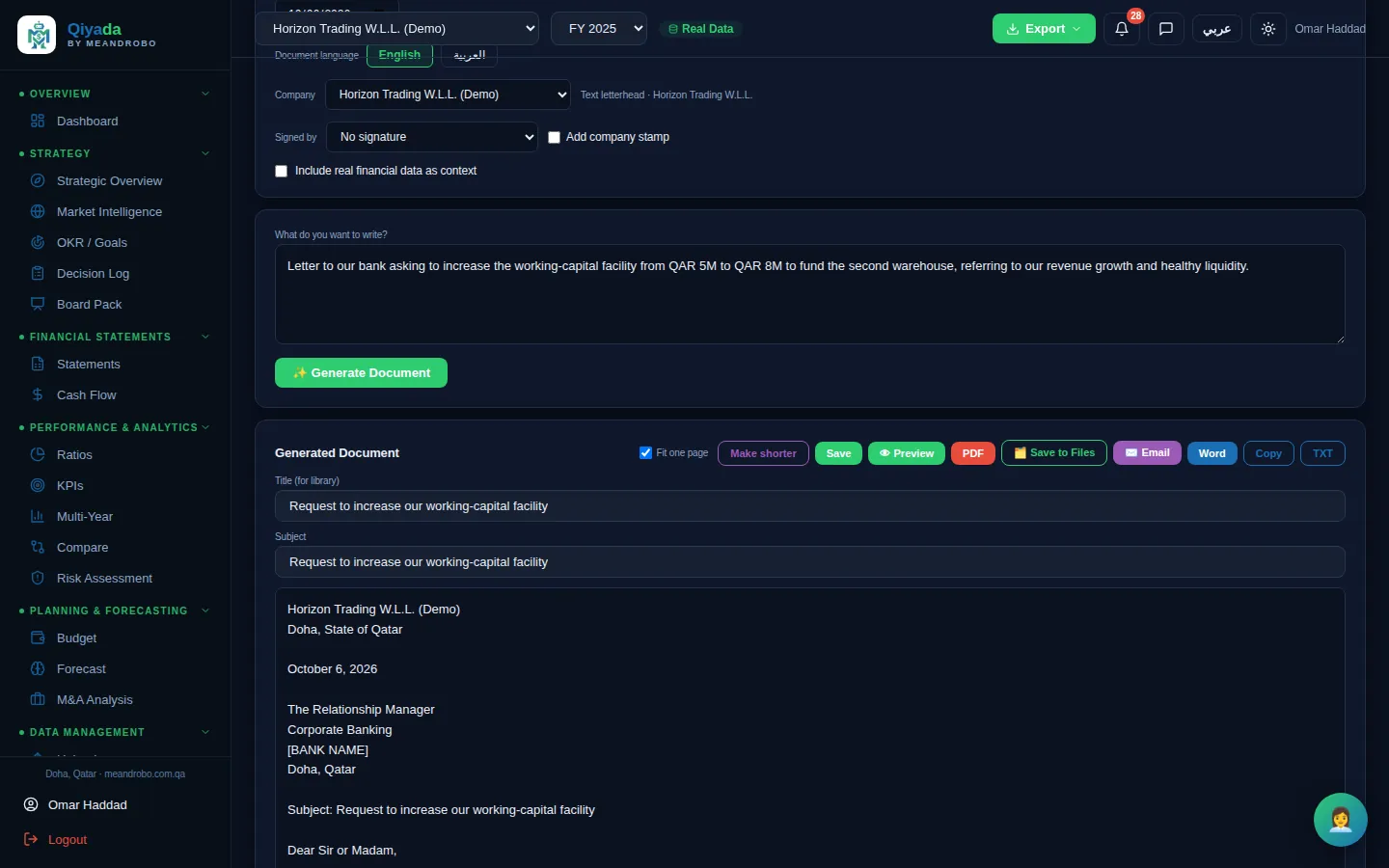
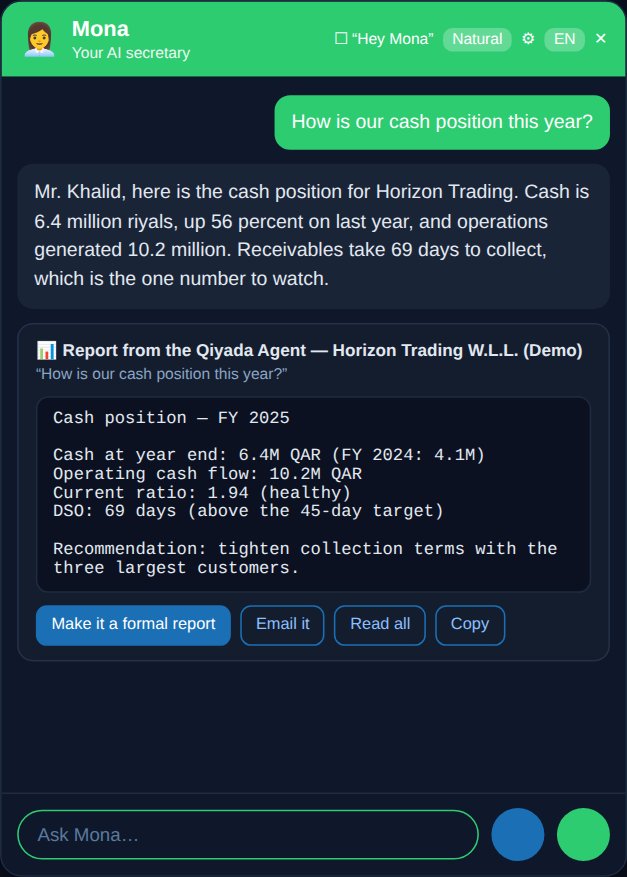
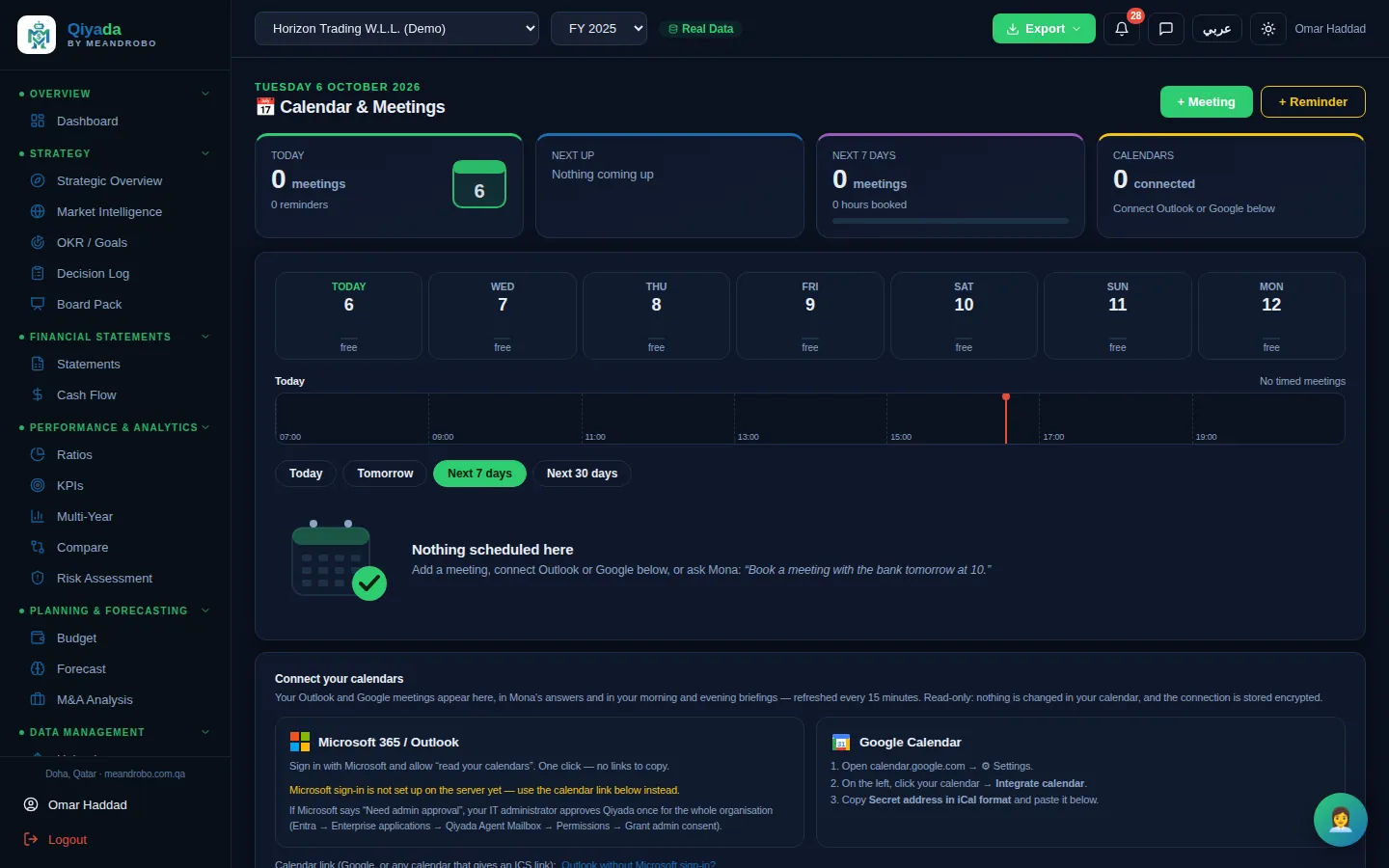
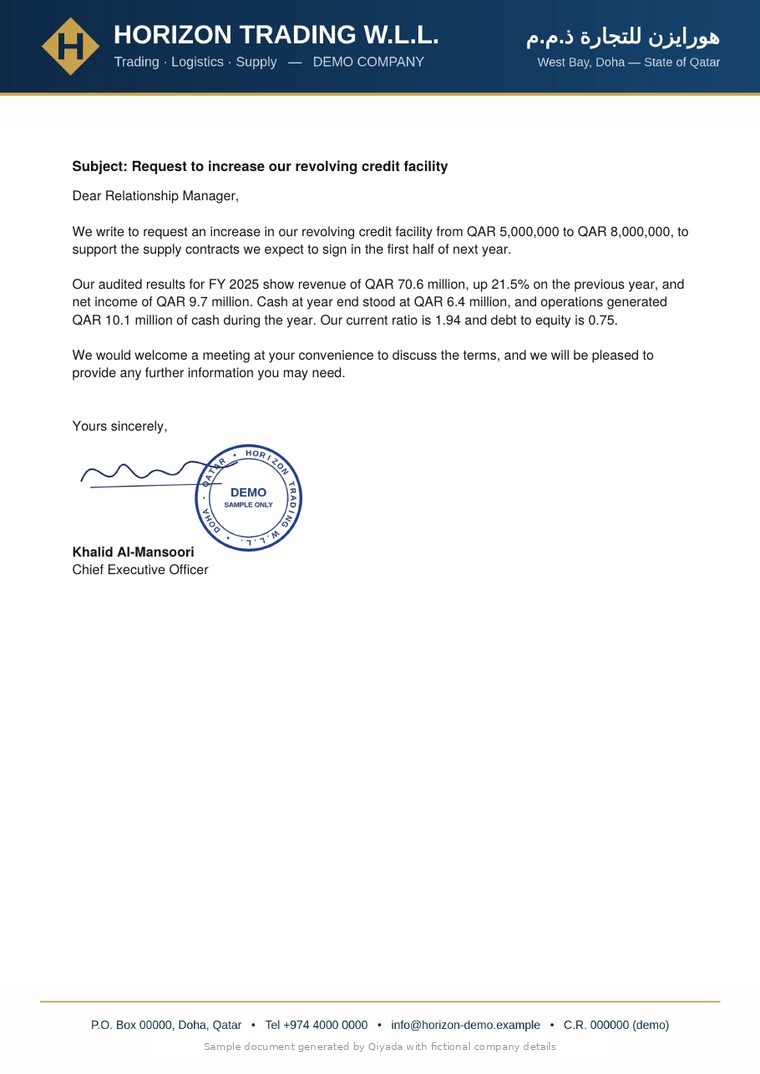
The AI Secretary writes the letter on your letterhead, signed and stamped. Your calendars and mailbox sit next to your numbers, and Mona — the voice assistant — brings it together.

What you get

Documents ready to send in minutes, a morning briefing of your day, and nothing sent without your approval.

How it works

  1. Describe the document in a sentence, choose the company, signatory and stamp.
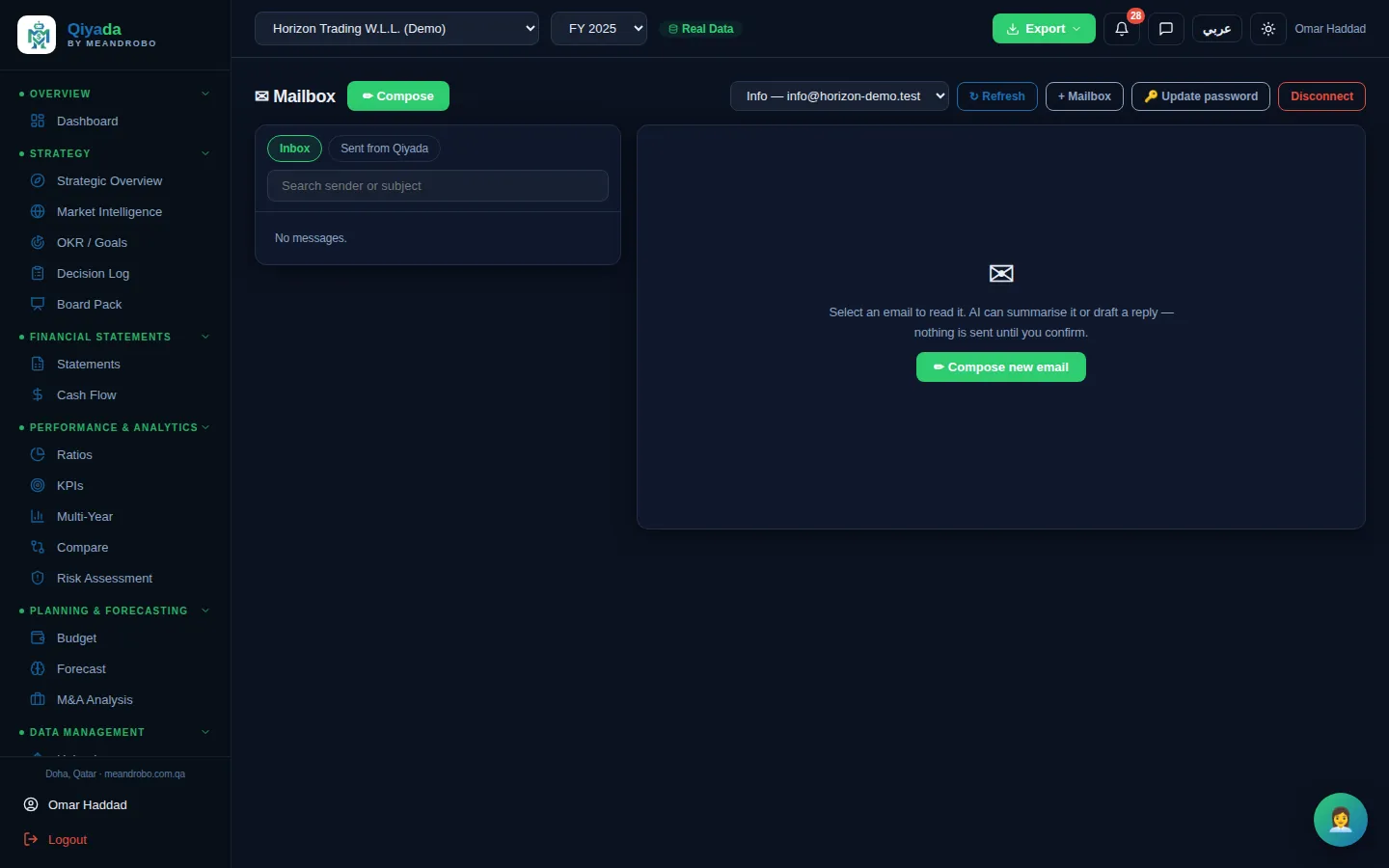
  2. Connect Outlook or Google Calendar (read-only) and your mailbox.
  3. Ask Mona by voice or text; she prepares, you review and press Send.
Modules in this group
AI Secretary
AI Secretary — Business letters, emails, memos, minutes, proposals, business reports and board updates in English or Arabic, on the com

Click the screen to enlarge it

AI Secretary Professional & ExecutiveUses AI

Business letters, emails, memos, minutes, proposals, business reports and board updates in English or Arabic, on the company's letterhead with the authorised signature and stamp.

  • Choose tone and length; optionally use the company's real figures
  • Signatures and stamps controlled by administrators
  • Download as PDF or Word, or send through your connected mailbox
ORGANISATION & CONTROL

Every company, every user, every change — under control

The problem

Group information is shared by email attachment, everyone sees everything, and nobody can say who changed a number.

What Qiyada does

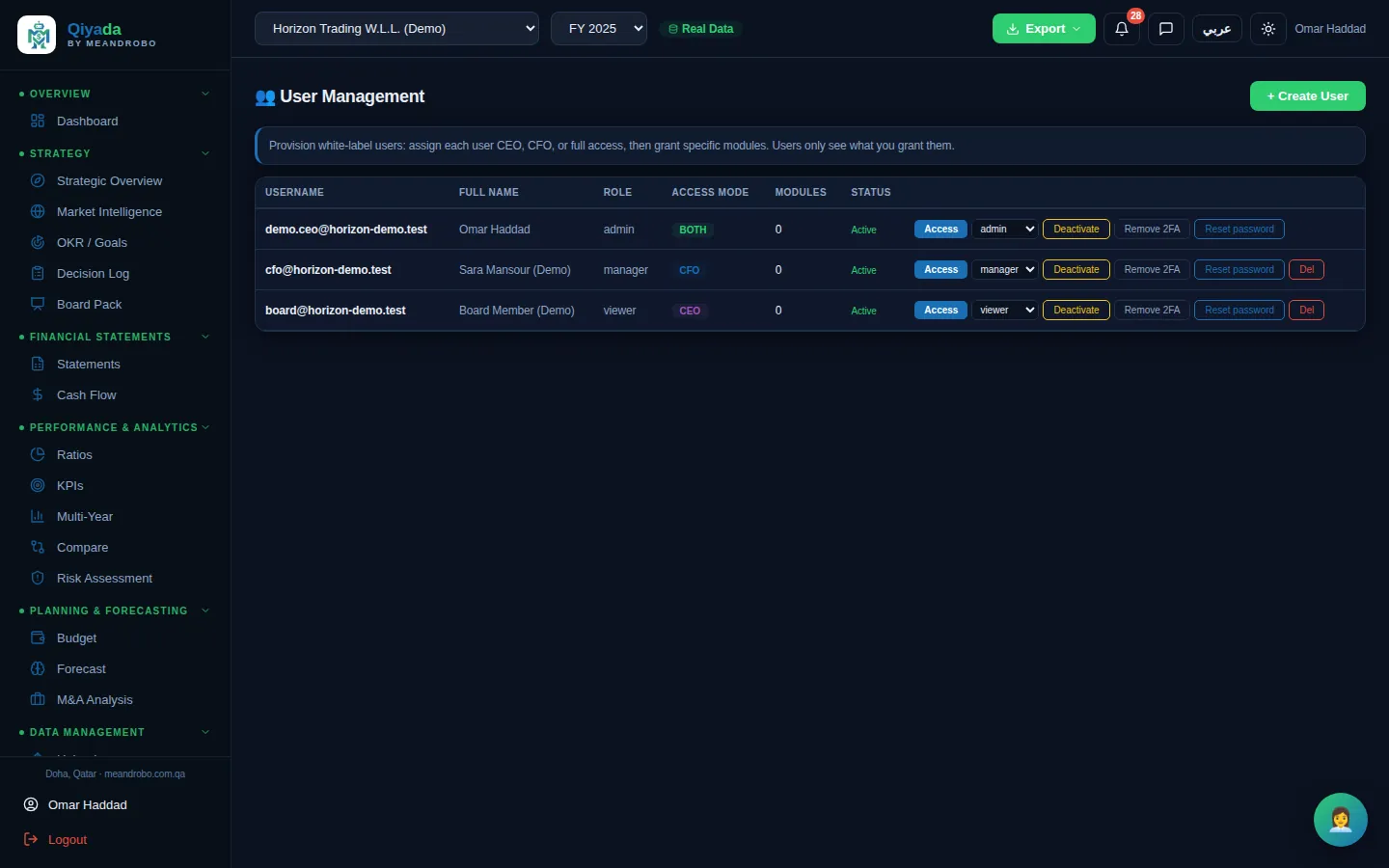
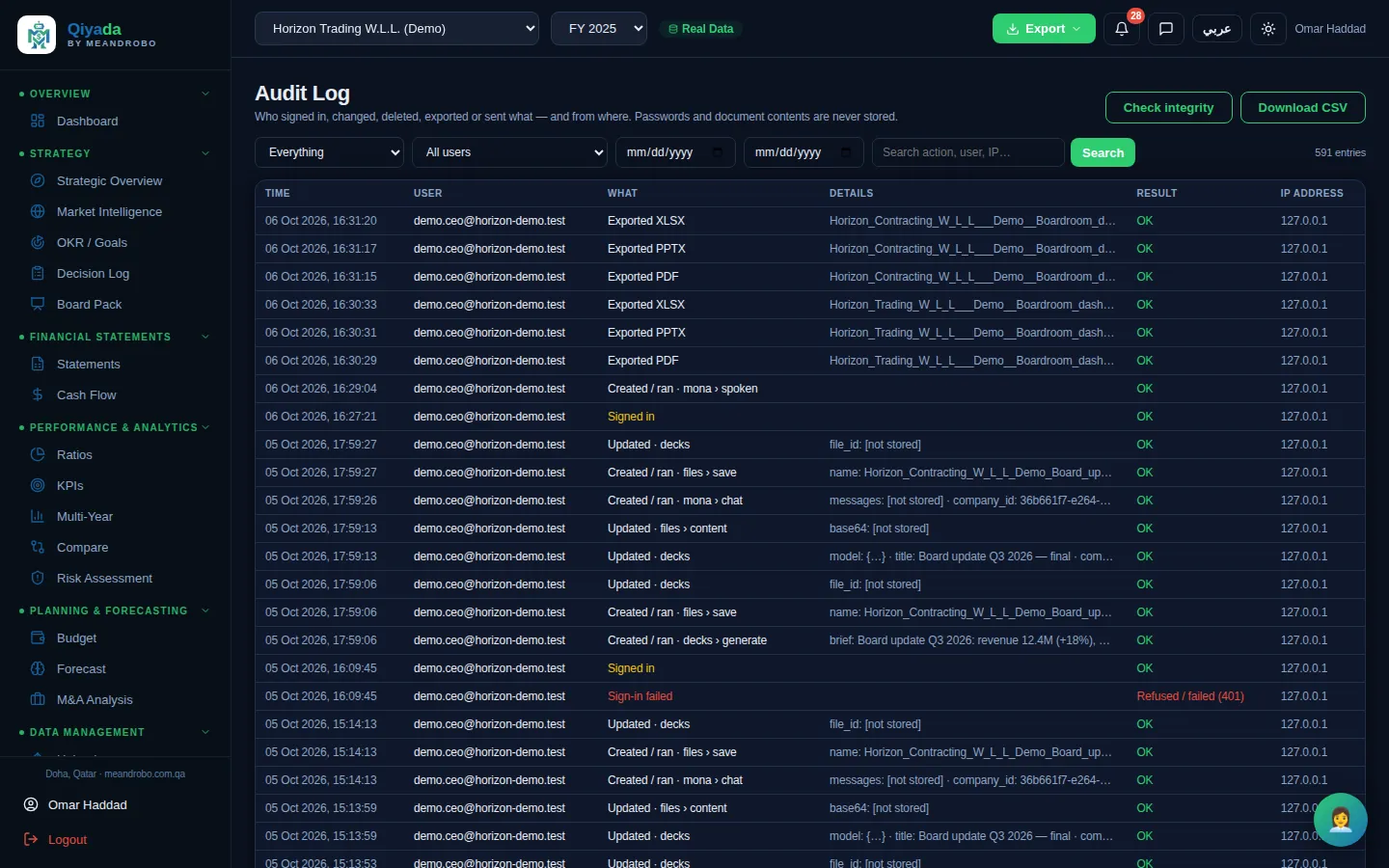
Each company and group is set up once. Each user sees only the companies and modules you allow, and every change, sign-in and export is recorded in a tamper-evident log.

What you get

The right people see the right numbers — and you can prove who did what, and when.

How it works

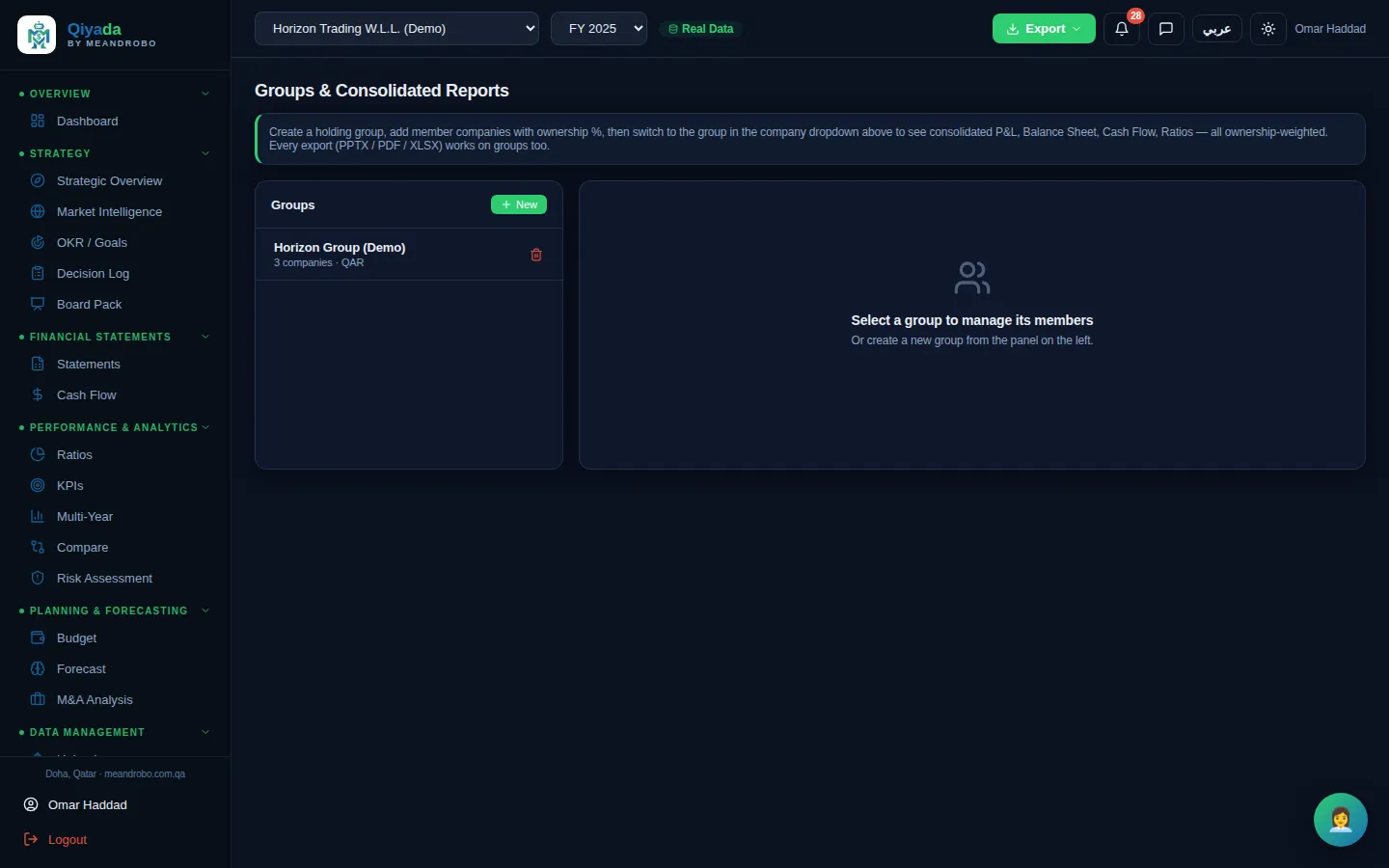
  1. Add your companies and put them in groups with ownership percentages.
  2. Create users as admin, manager or read-only viewer and grant modules one by one.
  3. Review the audit log any time, or download it.
Modules in this group
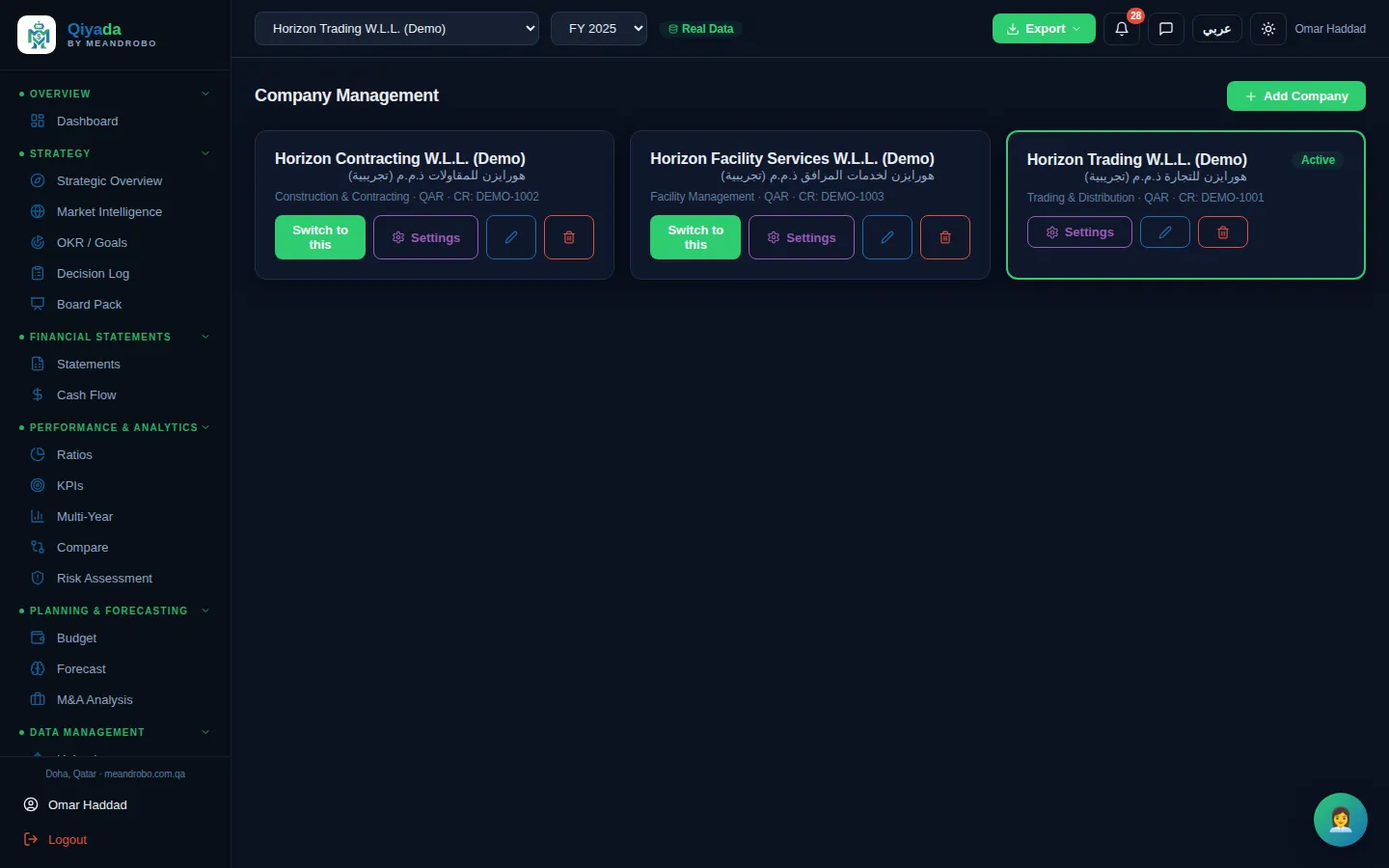
Companies
Companies — Each company with its Arabic name, commercial registration, industry and currency — and its own letterhead, signatories

Click the screen to enlarge it

Companies All plans

Each company with its Arabic name, commercial registration, industry and currency — and its own letterhead, signatories and stamp.

  • Switch companies in one click
  • Your own company is included in every plan
  • Executive: add companies for USD 10 a month each
REPORTS & EXPORTS

Board-ready documents from every screen

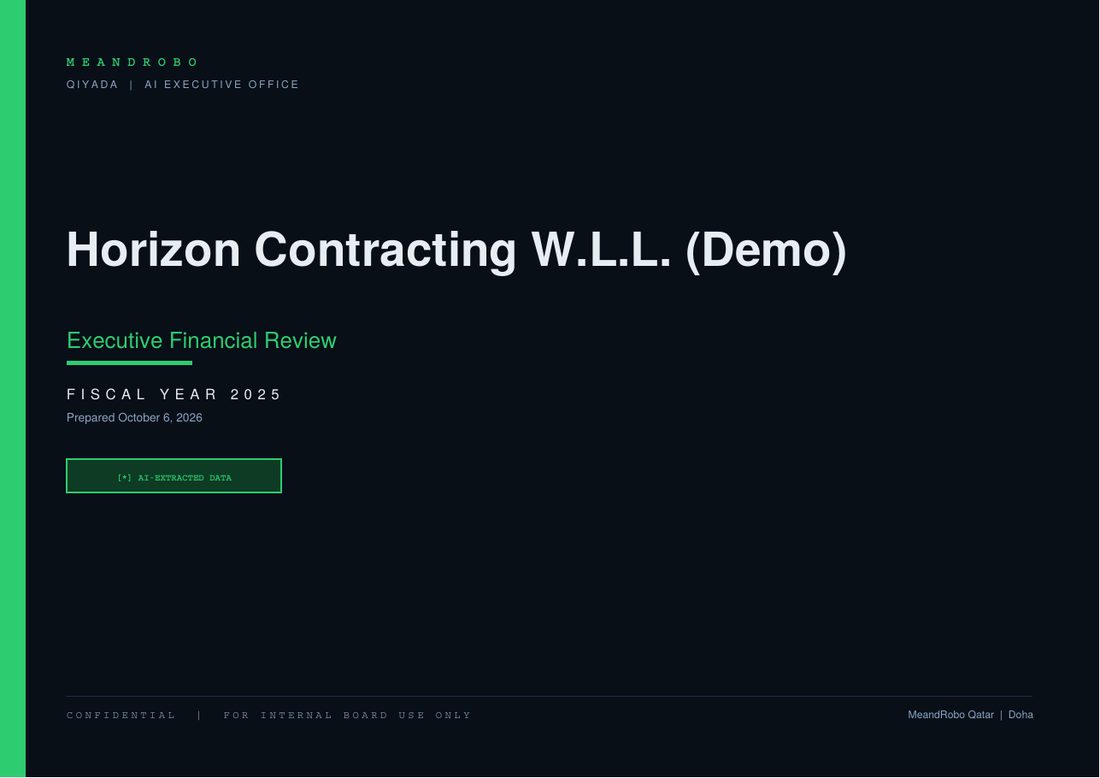
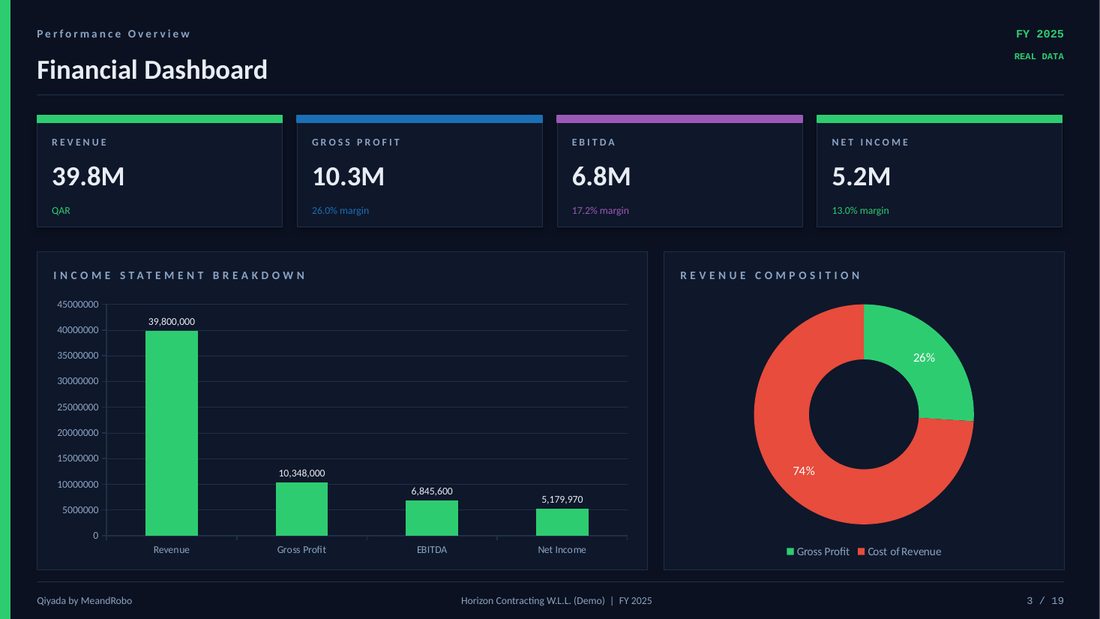
Press Export on any financial screen for a PDF board report of up to 19 sections, an editable PowerPoint deck or an 11-sheet Excel workbook — with your logo. Board packs, risk reports, M&A reviews, models and contracts export too.

PowerPoint and Excel exports are on Professional and Executive. On the free plan, PDFs carry a Qiyada footer.

See the sample reports
Board-ready documents from every screenBoard-ready documents from every screenBoard-ready documents from every screenBoard-ready documents from every screen

What Qiyada is not

Not an accounting system

Keep your bookkeeping. Qiyada works from the statements your system or accountant already produces.

Not a replacement for your auditor or lawyer

It gives management information. Audited figures, legal advice and tax advice still come from professionals.

Not an AI that acts on its own

The AI drafts, analyses and suggests. Nothing is sent, signed or published until a person approves it.

Not for personal use

Workspaces belong to businesses, and every user must be 18 or over.

See it with your own numbers.

Start free with your own company, or ask for a 30-minute guided demo using our sample company or your own statements.